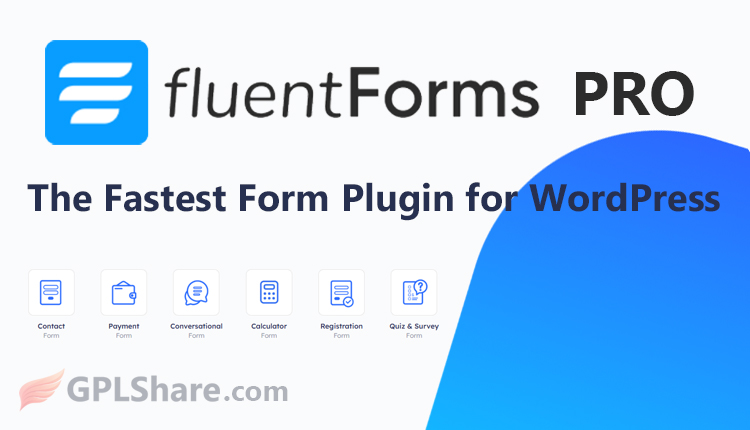

Fluent Forms Pro is a premium form builder plugin for WordPress-based websites. It was developed by the software company WPManageNinja.
The plugin’s primary goal is to enable website owners to quickly create various types of interactive digital forms without requiring any coding knowledge.
The plugin is designed and maintained by WPManageNinja, a global software development team focused on the WordPress platform. In addition to Fluent Forms, they are known for other popular products such as FluentCRM and Ninja Tables.
Key Functions of Fluent Forms Pro
Fluent Forms Pro was created to overcome the limitations of WordPress’s built-in forms by offering advanced features, such as:
- Data & Contact Collection: Creating everything from standard contact forms and member registration forms to email newsletter subscription forms.
- Transactions & Payments: Integrating forms with payment gateways like Stripe, PayPal, and Razorpay to accept donations or online orders.
- Interactive Surveys & Quizzes: Providing conditional logic features to create online quizzes, personality tests, exams, or customer feedback questionnaires.
- Marketing Automation: Directly connecting form submission data to various third-party applications such as Google Sheets, Mailchimp, Slack, or CRM platforms.
- Improved User Experience: Utilizing lightweight drag-and-drop technology to ensure forms load rapidly without compromising website performance.
A free version is available in the WordPress plugin directory for basic needs, while the Fluent Forms Pro license caters to business owners and professionals requiring more complex integration and automation capabilities.
Fluent Forms Pro: One of the Best WordPress Form Builders
Fluent Forms Pro consistently ranks among the best WordPress form builder plugins in the world. On various software review platforms such as G2 and Capterra, the plugin holds an average rating of 4.8 out of 5 stars.
Why Do So Many Consider Fluent Forms Pro the Best?
- Lightweight Code Performance: Compared to heavyweights like WPForms or Gravity Forms, Fluent Forms scripts load much faster, ensuring your website’s speed score (PageSpeed) remains unaffected.
- Most Generous Free Version: Features that are premium in other plugins—such as conditional logic—are available for free in the basic version.
- Fair Pricing Policy: They do not restrict features based on pricing tiers. Once you purchase the entry-level Pro version, you immediately gain access to all payment features, CRM integrations, and quiz capabilities at no extra cost.
- Built-in Modern Features: It includes features like Typeform-style conversational forms, an automated PDF generator, and AI assistant integration to streamline form creation.
What Are the Drawbacks?
- Third-Party Add-ons: As it is newer than Gravity Forms, the number of external, community-created add-ons is not yet as extensive as that of its long-standing competitor.
- Not for Complex Applications: If you aim to build a highly intricate database system where users can register, edit, and display their data on the frontend—such as in complex charts—Formidable Forms remains the superior choice.
In conclusion, if you are looking for a plugin that is fast, feature-rich, boasts a modern interface, and offers the best functional value for your money, Fluent Forms Pro is currently the number one choice.
However, the “best” choice within the WordPress platform depends heavily on the user’s specific needs. Here is an objective comparison between Fluent Forms Pro and its main competitors to highlight its strengths and weaknesses:
Performance Comparison of Leading WordPress Form Plugins
Fluent Forms Pro
- Strengths: Features the most lightweight code (keeping websites fast), offers conditional logic for free, includes Typeform-style interactive form features, and has a very budget-friendly licensing structure.
- Best For: Small business owners, web agencies, and anyone wanting comprehensive premium features without slowing down their website.
WPForms
- Strengths: Boasts the most intuitive drag-and-drop form builder interface, is very easy to understand, and provides thousands of ready-made templates that are beginner-friendly.
- Best For: Bloggers, SME owners, or casual users who want to avoid technical hassles and need standard forms quickly.
Gravity Forms
- Strengths: The longest-standing plugin with a stellar security reputation, an extensive third-party add-on, and high flexibility for developer customization.
- Best For: Professional web developers, large agencies, and enterprise-level companies requiring advanced customization and complex internal system integrations.
Formidable Forms
- Strengths: Exceptionally powerful data processing; user-submitted data isn’t just stored but can be displayed on the front end as charts, directories, or interactive tables.
- Best For: Websites requiring complex systems, such as job boards, intricate cost calculators, mini project management systems, or property directories.
Installation Requirements
To install Fluent Forms Pro, your website must meet certain basic technical requirements. Since this plugin runs on the WordPress platform, the requirements are divided into website system requirements and the necessary plugin files.
1. Website System Requirements
Your WordPress website must meet the following minimum standards for the plugin to run smoothly without errors:
- WordPress Version: Minimum version 5.5 or newer.
- PHP Version: Minimum version 7.4 or newer (Using PHP 8.0, 8.1, or 8.2 is highly recommended for optimal performance).
- MySQL / MariaDB Version: MySQL version 5.6+ or MariaDB version 10.1+.
- PHP Memory (WP Memory Limit): Minimum 128 MB recommended (256 MB is ideal if you use multiple integrations).
2. Plugin Component Requirements (Mandatory Files)
Fluent Forms Pro operates using an add-on system. This means you must install two plugins on your website:
- WP Fluent Forms (Free Version): This is the core plugin, which can be downloaded directly from the Plugins > Add New menu in your WordPress dashboard.
- Fluent Forms Pro (Paid Version): This is an additional .zip file obtained after purchasing an official license. It unlocks the premium features within the free version.
3. Activation & Integration Requirements (Optional but Important)
- License Key: You need an official license code to activate Pro features and receive automatic updates, ensuring the security of your form database. If you download Fluent Forms Pro from our website, GPLShare.com, the Pro features are already active, but automatic updates are not supported.
- SSL Connection (HTTPS): If you wish to use Pro payment features (such as Stripe or PayPal), your website must use HTTPS to ensure secure consumer transactions.
How to Download
- Log in to your GPLShare account
- Go to your download history
- Download Fluent Forms Pro v6.2.15 from the list provided
- Or download directly from this page if you have a premium membership
- That’s it! Enjoy the full version of Fluent Forms Pro.
How to Install Plugin
- Please ensure that you download the
.zipfile from GPLShare - Before installing, you must first unzip the
fluentformpro-6.2.15-pack.zipfile - Go to WordPress Admin → Plugins → Add New → Upload Plugin
- Choose the
.zipinstaller file and click Install Now - After installation, click Activate Plugin
- Done! Fluent Forms Pro is now active on your site
How to Activate License
Basically, the license credentials are not required, as they are only needed to receive updates. However, if you wish to activate the license, here are the instructions
- Once installed, navigate to the License section.
- Enter the required license credentials. (The license credentials can be found inside the package file you downloaded.)
- Done.
This product is licensed under the GPL
The GNU General Public License (GPL) is a copyleft license that guarantees you the freedom to run, study, share, and modify the software. If you distribute the software, whether modified or not, you must also pass on these same freedoms. Source: Official License Text (GPLv3) https://www.gnu.org/licenses/gpl-3.0.en.html
Conclusion & Plugin Download
GPLShare is the ultimate solution for anyone looking for a safe and trusted way to download Fluent Forms Pro v6.2.15. Every product available on our platform is a 100% secure GPL License WordPress Plugin, allowing you to use it on Fluent Forms Pro unlimited sites without any domain restrictions.
While we offer exclusive free download access for our premium members, we strongly advise against risking your website security by using an unsafe Fluent Forms Pro nulled version from GPL markets that provide it completely free.