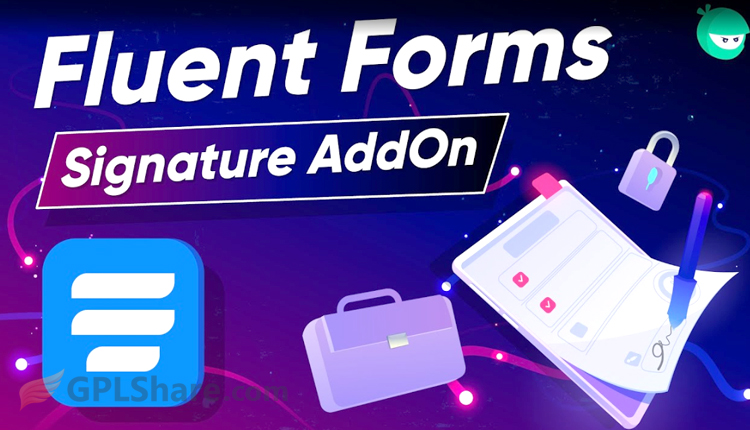

Fluent Forms Signature is an official add-on for the Fluent Forms plugin. It is a separate, optional add-on rather than a feature built directly into the base Fluent Forms Pro package. It is designed specifically to add a digital signature field to your forms. Although developed by the same company (WPManageNinja), you must download and install this add-on plugin file separately after installing the Fluent Forms Pro plugin.
Why Is It a Separate Feature?
Fluent Forms Signature is built as a separate component to keep website performance lightweight and ensure users install only the features they truly need.
Here are the primary reasons the developers separated this feature:
- Website Performance: The core code remains lean and fast. The website does not slow down because the digital signature script does not need to load on standard form pages.
- Server Efficiency: Memory and server resource usage are minimized. The system does not process signature image data when the form is not in use.
- User Flexibility: Every website has different needs. Users are free to choose and install additional add-ons without being forced to use unnecessary features.
- Ease of Maintenance: The development team can update or fix the signature feature independently without compromising the stability of the plugin’s core system.
Key Uses of the Fluent Forms Signature Add-on
Here are the primary uses of the Fluent Forms Signature Add-on, categorized by their purpose:
1. Paperless Legal Document Authorization
This add-on is used to formalize various partnership documents or agreements digitally. Users no longer need to print, manually sign, and then scan documents back into the system.
- Examples: Non-Disclosure Agreements (NDAs), remote employee contracts, or letters of authorization.
2. Verification and Approval of Business Terms & Conditions
Used to ensure that clients or customers have read, understood, and agreed to all rules or risks associated with the services you provide.
- Examples: Medical informed consent forms, property or vehicle rental agreements, or gym membership terms.
3. Proof of Delivery and Digital Acknowledgement of Receipt
Used by delivery service providers or internal logistics teams to confirm that goods or services have arrived and been received by the intended recipient.
- Examples: Courier delivery receipts, proof of completed home repair services, or office asset handovers.
4. Registration and Validation for Official Activities
Used by educational institutions or event organizers to ensure registrations are made by authorized individuals, particularly when minors are involved.
- Examples: Parental consent forms for school field trips, sports tournament registrations, or attendance confirmations for exclusive seminars.
5. Automated Generation of Signed PDF Documents
When combined with Fluent Forms Pro’s built-in PDF generation feature, this add-on can instantly produce certificates or digital receipts that automatically include the user’s actual signature.
- Examples: Issuance of official donation receipts, digital training certificates, or signed sales invoices.
How to Download
- Log in to your GPLShare account
- Go to your download history
- Download Fluent Forms Signature v4.4.1 from the list provided
- Or download directly from this page if you have a premium membership
- That’s it! Enjoy the full version of Fluent Forms Signature.
How to Install Plugin
- Please ensure that you download the
.zipfile from GPLShare - Before installing, you must first unzip the
fluentform-signature-4.4.1-pack.zipfile - Go to WordPress Admin → Plugins → Add New → Upload Plugin
- Choose the
.zipinstaller file and click Install Now - After installation, click Activate Plugin
- Done! Fluent Forms Signature is now active on your site
How to Activate License
Basically, the license credentials are not required, as they are only needed to receive updates. However, if you wish to activate the license, here are the instructions
- Once installed, navigate to the License section.
- Enter the required license credentials. (The license credentials can be found inside the package file you downloaded.)
- Done.
This product is licensed under the GPL
The GNU General Public License (GPL) is a copyleft license that guarantees you the freedom to run, study, share, and modify the software. If you distribute the software, whether modified or not, you must also pass on these same freedoms. Source: Official License Text (GPLv3) https://www.gnu.org/licenses/gpl-3.0.en.html
Conclusion & Plugin Download
GPLShare is the ultimate solution for anyone looking for a safe and trusted way to download Fluent Forms Signature v4.4.1. Every product available on our platform is a 100% secure GPL License WordPress Plugin, allowing you to use it on Fluent Forms Signature unlimited sites without any domain restrictions.
While we offer exclusive free download access for our premium members, we strongly advise against risking your website security by using an unsafe Fluent Forms Signature nulled version from GPL markets that provide it completely free.