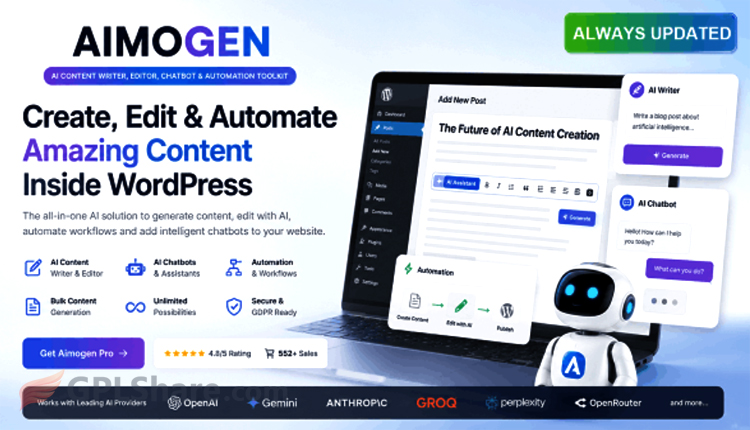

Aimogen Pro (formerly known as Aiomatic) is one of those premium WordPress plugins that long-time site owners tend to hear about sooner or later. Built by CodeRevolution, it pitches itself as an all-in-one AI toolkit for your site — handling everything from content creation and article editing to running a chatbot, all without leaving your WordPress dashboard.
The product actually started life as Aiomatic. In a more recent update, the developers rebranded it to Aimogen, with the fully paid tier now called Aimogen Pro. That name change came alongside a broader feature expansion and a performance overhaul, with the plugin rebuilt to feel lighter and run more smoothly on modern WordPress setups.
Here’s a closer look at what it does, how it works, and where it stands out.
Core Functions & Standout Features
- AI Content Writer & Automator: You can spin up new articles or blog posts in bulk or on a schedule. Content gets generated around specific keywords, trending topics, or pulled automatically from external RSS feeds.
- Content Editor & Rewriter: This is where it gets practical for existing sites. The plugin can refresh older articles automatically so they stay current and relevant. The AI handles rewriting, grammar fixes, tone adjustments, and condensing long-form pieces into tighter summaries.
- AI Image Generation: Beyond text, the Pro version can create featured images using AI models like OpenAI’s DALL-E or Stability AI, matched to whatever the content is about.
- Built-in AI Chatbot: You can drop an interactive chatbot onto your site. Its personality and knowledge base are both customizable, letting it answer visitor questions in real time using the content already on your site.
- SEO Optimization & Meta Descriptions: AI-generated output is tuned to be search-engine friendly from the start. The plugin can also produce automatic meta descriptions that play nicely with popular SEO plugins like Yoast SEO, Rank Math, or All in One SEO.
Multi-Model AI & API Flexibility
What really sets Aimogen Pro apart is how flexible it is. You’re not locked into a single AI vendor. The plugin connects to several major AI providers using your own API key, including:
- OpenAI (GPT-4o and newer models)
- Anthropic (Claude AI)
- Google Gemini AI
Because it runs on your own API credentials, the cost of generating content drops significantly — you only pay for what you actually use with the provider, with no hidden monthly subscription fees tacked on by a third party.
How to Connect Your API Key to Aimogen Pro
Wiring up an API key to Aimogen Pro (or Aiomatic) on WordPress is honestly pretty straightforward — it takes just a few steps.
Broadly speaking, the process breaks into two parts: grabbing an API key from whichever AI provider you want to use, then plugging it into the plugin’s settings inside WordPress.
Here’s the step-by-step walkthrough.
Step 1: Get Your API Key First
As an example, say you want to use OpenAI (ChatGPT):
- Head over to the official OpenAI Platform site and log into your account.
- Open the API Keys menu in the sidebar.
- Hit the “Create new secret key” button.
- Give the key a name (something like “My WordPress Site“), then click Create.
- Copy the API key that appears. One important thing: save it right away, because OpenAI won’t show it to you again for security reasons.
(Note: if you’d rather use a different model like Anthropic Claude or Google Gemini, you can grab an API key the same way through each vendor’s developer dashboard.)
Step 2: Paste the API Key into Aimogen Pro on WordPress
Once you’ve copied the key, head back to your WordPress dashboard:
- Log into your WordPress admin area.
- On the left-hand menu, find and click Aimogen Pro (or Aiomatic) > then choose Settings.
- Switch to the tab labeled API Keys.
- Find the field for your chosen provider (for instance, the OpenAI API Key or Anthropic API Key field).
- Paste the API key you copied earlier into that field.
- Then click Save Settings at the bottom of the page to lock in your changes.
Step 3: Test the Connection
Usually, once you’ve saved your settings, the plugin shows a “Test Connection” button right next to the API key field.
- If the connection goes through, the indicator turns green and you’re good to start using the AI features.
- If it fails, double-check that your API account has enough balance or credit. This trips people up with OpenAI in particular — free-tier accounts sometimes come with tight limits or have already expired, so you may need to top up with a minimum $5 deposit on the OpenAI platform.
Once it’s connected, every AI model that key supports (GPT-4o, Claude 3.5 Sonnet, and so on) shows up automatically, ready to pick whenever you’re creating content or editing an article.
How to Download
- Log in to your GPLShare account
- Go to your download history
- Download Aimogen Pro v2.9.4 from the list provided
- Or download directly from this page if you have a premium membership
- That’s it! Enjoy the full version of Aimogen Pro.
How to Install Plugin
- Please ensure that you download the
.zipfile from GPLShare - Before installing, you must first unzip the
aimogen-pro-2.9.4-pack.zipfile - Go to WordPress Admin → Plugins → Add New → Upload Plugin
- Choose the
.zipinstaller file and click Install Now - After installation, click Activate Plugin
- Done! Aimogen Pro is now active on your site
How to Activate License
Basically, the license credentials are not required, as they are only needed to receive updates. However, if you wish to activate the license, here are the instructions
- Once installed, navigate to the License section.
- Enter the required license credentials. (The license credentials can be found inside the package file you downloaded.)
- Done.
This product is licensed under the GPL
The GNU General Public License (GPL) is a copyleft license that guarantees you the freedom to run, study, share, and modify the software. If you distribute the software, whether modified or not, you must also pass on these same freedoms. Source: Official License Text (GPLv3) https://www.gnu.org/licenses/gpl-3.0.en.html
Conclusion & Plugin Download
GPLShare is the ultimate solution for anyone looking for a safe and trusted way to download Aimogen Pro v2.9.4. Every product available on our platform is a 100% secure GPL License WordPress Plugin, allowing you to use it on Aimogen Pro unlimited sites without any domain restrictions.
While we offer exclusive free download access for our premium members, we strongly advise against risking your website security by using an unsafe Aimogen Pro nulled version from GPL markets that provide it completely free.