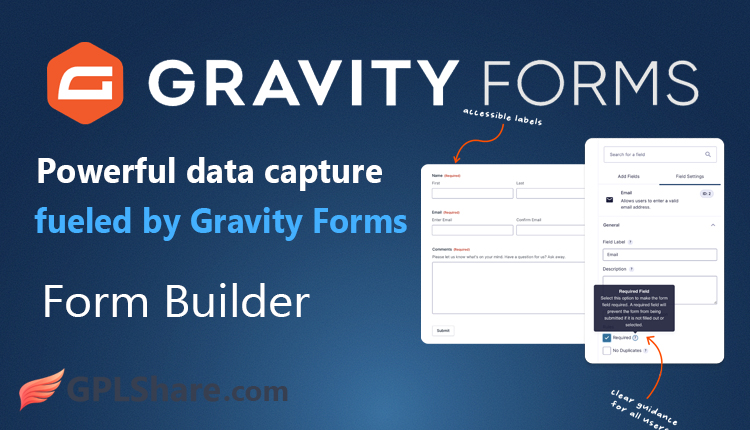

Gravity Forms is one of the most popular premium form builder plugins for the WordPress platform. It is specifically designed to help you create a wide range of forms—from simple contact forms to complex systems for data collection, payments, and user registration.
As an advanced tool, Gravity Forms has become an industry standard among WordPress developers due to its high flexibility and ability to integrate with hundreds of third-party services.
Benefits of Using Gravity Forms
With Gravity Forms, you can go beyond creating standard contact forms; you can build complex data collection and business automation systems directly within WordPress.
Here are the key capabilities and benefits of using Gravity Forms, categorized by business function:
1. Accepting Payments and Donations (E-Commerce)
You can transform forms into transaction tools without needing to install heavy e-commerce plugins like WooCommerce:
- Selling Digital or Physical Products: Create order forms for single or multi-variant products, complete with automatic price calculations.
- Accepting Donations: Offer custom or fixed donation amounts for foundations and non-profit organizations.
- Subscription Systems: Accept recurring payments (monthly/yearly) for services or premium content through integrations with Stripe, PayPal, or Authorize.Net.
2. Automating Marketing (Lead Generation & CRM)
Gravity Forms acts as a bridge for collecting prospect data and sending it to your marketing tools:
- Newsletter Sign-ups: Connect forms directly to email marketing services like Mailchimp, ActiveCampaign, or ConvertKit.
- CRM Synchronization: Send customer data or inquiries directly to CRM dashboards such as HubSpot, Salesforce, or Zoho CRM.
- Questionnaires and Market Surveys: Create customer satisfaction surveys featuring interactive elements (Likert scales, star ratings) using the Survey & Polls Add-on.
3. Managing Users and Site Content (User Management)
You can allow visitors to interact more deeply with your WordPress site without granting them access to the admin dashboard:
- User Registration: Create custom account registration forms for membership sites or forums.
- Guest Post/User-Submitted Content: Visitors can submit articles, titles, categories, and uploaded images, which are automatically saved as post drafts in your WordPress site.
4. Collecting Documents and Complex Data
- Large File Uploads: Accept submissions of work documents, CVs, photos, and even videos from users, with configurable file format and size limits.
- Digital Signatures: Collect official signatures directly on mobile or computer screens using the Signature Add-on for contracts or digital approvals.
- Multi-Stage Forms: Break down long registration or scholarship application forms into multiple pages to make them easier to fill out.
5. Creating Internal Applications (With Third-Party Add-ons)
When combined with the third-party plugins (such as GravityView or GravityKit), you can achieve even more advanced functionality:
- Displaying Data on the Frontend: Display user-submitted data as tables, directories, or charts on your website.
- Automated PDF Generation: Automatically convert every form submission into an official PDF document (such as an invoice or certificate) ready for download or email delivery.
Integrating Gravity Forms with WooCommerce
Among WordPress users, WooCommerce is currently recognized as the king of e-commerce, while Gravity Forms is the industry standard for advanced form building. When integrated, you gain full control to sell products that require complex customization, specific configurations, or the collection of additional data from buyers before they hit the checkout button.
Gravity Forms offers deep, full integration with WooCommerce. Although the two plugins operate independently out-of-the-box, you can bridge them using official extensions or third-party add-ons. This integration combines the flexibility of the Gravity Forms builder with the robustness of the WooCommerce e-commerce system.
How the Gravity Forms & WooCommerce Integration Works
Generally, this integration works by embedding a form created in Gravity Forms directly onto a WooCommerce product page.
When customers visit your product page, they see an interactive form instead of just the standard “Add to Cart” button. The options selected by the customer within the form can dynamically alter the product price, and all input data is saved alongside the item in the shopping cart and carried through to the final invoice.
4 Key Benefits of Integrating Gravity Forms with WooCommerce
1. Advanced Product Customization (Product Add-Ons)
If you sell products requiring specific buyer specifications—such as custom sizes, name engravings on jewelry, or computer component configurations—WooCommerce’s built-in features are often insufficient. Gravity Forms allows you to add dozens of field types (text, multiple-choice, file uploads) to a single product page.
2. Conditional Logic for Products
You can hide or display product options based on the consumer’s previous selections.
- Example: If a buyer selects a custom shirt option with “Additional Screen Printing” (using a plain t-shirt), a new field for entering the print text or uploading a logo image will automatically appear.
3. Dynamic Pricing
Gravity Forms can perform mathematical calculations in real-time. If a customer selects premium materials or increases the quantity of specific features, the total WooCommerce product price updates automatically on the screen before the item is added to the shopping cart.
4. Integrated File Upload
For businesses such as T-shirt printing, banner printing, or design services, customers can upload documents (PDF, PNG, ZIP) directly on the WooCommerce product page. These files are securely attached to the admin’s order dashboard.
Top Plugin Options to Connect the Two
To enable this feature, you need a bridge plugin. Here are the best options currently available:
- Gravity Forms Product Add-Ons (WooCommerce Marketplace): This is an official, original extension sold on the WooCommerce marketplace. It is highly stable, has a long-standing reputation, and ensures seamless data flow from the cart and checkout stages through to the order confirmation email.
- Product Configurator for WooCommerce (Gravity Shop): Developed by certified Gravity Forms developers (Gravity Wiz), this plugin offers modern integration, supports direct form editing from the cart, and works perfectly with Gravity Perks plugins.
- Gravity Forms Configurator for WooCommerce: Another robust solution that allows admins to implement forms either on a per-product basis or globally based on specific product categories.
Creating Posts with Gravity Forms
Creating WordPress posts via the site’s front-end is one of the most powerful built-in features of Gravity Forms. This feature is known as Post Fields.
With this feature, visitors or guest bloggers can submit articles, news items, or products without needing to log in to your WordPress admin dashboard (/wp-admin).
How Front-End Post Creation Works
Gravity Forms provides a specific category of fields called Post Fields. When users fill out these fields and click the submit button, Gravity Forms automatically converts the data into a new WordPress post.
Here are the post elements that users can populate from the front-end:
- Post Title: Converts user text input into the post title.
- Post Body: Provides a text editor (either plain text or a rich text editor) for users to write their article content.
- Post Excerpt: Allows for the entry of a short summary of the post.
- Post Image (Featured Image): Allows users to upload an image that is automatically set as the post’s Featured Image.
- Post Tags & Custom Taxonomy: Enables users to select existing tags or enter new ones for the post.
- Post Category: You can display category options as a drop-down menu, radio buttons, or checkboxes to ensure the post is assigned to the correct category.
Control and Security Features for Admins
To maintain your website’s quality and prevent spam, Gravity Forms gives you full control over how posts are published:
- Admin Approval (Post Status): You can configure submitted posts to automatically default to Draft or Pending Review status. This ensures articles are not published immediately before you have reviewed and approved them.
- Automatic Author Assignment (Post Author): If users are required to log in to fill out the form, Gravity Forms can automatically designate that user as the post’s author. If the user is not logged in, you can assign the submission to a dedicated guest account.
- Post Format Customization: You can specify whether the submission will be a standard post, gallery, video, or another custom type.
When Is This Feature Most Useful?
Creating posts from the front-end using Gravity Forms is ideal for the following business scenarios:
- Community News Sites (Citizen Journalism): Allowing the general public to submit local news or citizen reports.
- Business or Job Directories: Users enter company details or new job listings, which then appear as directory pages on your site.
- Review/Testimonial Sites: Users submit in-depth product reviews, complete with photos.
- Guest Blogging: Opening up opportunities for external writers to contribute articles without granting them access to sensitive areas of your WordPress site.
Advanced: Support for Custom Post Types (CPT)
By default, Gravity Forms directs form submissions to standard Posts or Pages. However, by using add-ons like Advanced Custom Fields (ACF) and third-party plugins such as the Gravity Forms Advanced Post Creation Add-On, you can direct the form to create custom post types—such as products, property listings, portfolio items, or events.
Compatible with Almost All WordPress Themes
Generally, Gravity Forms is compatible with virtually all WordPress themes developed according to official WordPress coding standards. While functional compatibility is assured, the visual appearance may vary.
Here is a detailed explanation of how Gravity Forms interacts with various WordPress themes and what you should keep in mind:
1. Functional Compatibility: 100% Seamless Operation
Gravity Forms is designed as an independent plugin that processes data in the background. As long as your WordPress theme utilizes the standard hooks required in every theme (such as wp_head() and wp_footer()), Gravity Forms features—including drag-and-drop functionality, conditional logic, mathematical calculations, and email submission—will operate perfectly on any theme.
2. Visual Compatibility: Depends on Theme Design
This is where differences arise. Since every theme has its own unique visual style (CSS), the appearance of your forms will adhere to that theme’s design rules:
- Standard / Popular Themes (Astra, GeneratePress, Divi, OceanWP): These major themes often feature built-in integrations specifically for Gravity Forms. Your forms will look neat, modern, and seamlessly integrated with the site’s design right from the start.
- Custom or Niche Themes: Some themes may have margin, font size, or button color settings that conflict with Gravity Forms’ default styles. While the forms will still function correctly, you might need to make minor visual adjustments using custom CSS or Gravity Forms’ built-in styling tools.
Gravity Forms’ Built-in Features to Ensure Compatibility
Gravity Forms is well aware of the diversity of WordPress themes. Consequently, they provide specific features to ensure forms look great on any theme:
- Orbital Styling Engine: The latest version of Gravity Forms includes a visual styling feature directly within the WordPress block editor. You can customize button colors, font sizes, corner shapes (border radius), and form spacing without touching any CSS code, allowing you to instantly align the form with any theme.
- CSS Output Options: You can choose to use the full Gravity Forms styling (Default CSS Output) or disable it entirely so the form perfectly mirrors the visual style of your WordPress theme.
Characteristics of Themes Prone to Issues (Conflicts)
Although rare, Gravity Forms may encounter problems if you use a theme with the following characteristics:
- Themes Using Overly Aggressive JavaScript: Some low-quality or pirated themes often force the loading of outdated or conflicting jQuery scripts. This can prevent features like Conditional Logic or Multi-Page Forms from functioning (e.g., they become unresponsive when clicked).
- Themes Lacking Accessibility Standards: If your theme blocks the loading of third-party CSS or JS files on specific pages, the form may not display correctly.
Best Practice: Use reputable, page-builder-friendly themes such as Astra or GeneratePress, or page builders like Elementor and Divi.
Gravity Forms Performance
In terms of speed and optimization, Gravity Forms delivers excellent, efficient performance for an advanced form builder plugin. It is built according to strict WordPress coding standards, ensuring it won’t slow down your website when configured correctly.
Here is an in-depth analysis of Gravity Forms’ performance, its impact on page speed (PageSpeed), and how it manages server resources:
1. Impact on Page Load Speed
Many form plugins load script (JavaScript) and style (CSS) files across your entire website, even on pages that do not contain any forms. This often leads to poor Google Core Web Vitals scores.
Gravity Forms addresses this issue intelligently through its No-Conflict Mode and asset optimization features:
- Selective Asset Loading: Gravity Forms loads its CSS and JavaScript files only on pages where a form is actually present. Homepages, blog posts, and other pages without forms remain free from the overhead of Gravity Forms scripts.
- Lightweight File Size: The plugin’s core code is designed to be minimalist. Since the update to the Orbital theme system, the generated HTML structure is much cleaner, avoiding code bloat.
2. Handling Conditional Logic and Browser Performance
If you create complex forms with extensive conditional logic (e.g., “if A is selected, show option B”), Gravity Forms processes this logic directly on the user’s end (client-side using JavaScript) rather than on the server.
- The benefit: Transitions between form fields feel instant and seamless to visitors, with no page-reloading delays.
3. Database and Server Performance During Data Submission
Whenever a user clicks the Submit button, Gravity Forms performs several resource-intensive tasks: validating data, preventing spam, saving data to the database, uploading files, and sending email notifications.
- Database Efficiency: Form data is stored in well-indexed, structured database tables (such as wp_gf_entry, wp_gf_entry_meta, etc.). This ensures that even if your site receives tens of thousands of form submissions, data retrieval and storage processes within the admin dashboard remain fast without placing an excessive load on server resources (RAM/CPU).
Factors That Can Degrade Gravity Forms Performance (And How to Address Them)
Although the core plugin is highly efficient, Gravity Forms’ performance can suffer due to the following external factors:
Causes of Performance Degradation
- Too many active add-ons: Impact on the site includes increased server memory consumption and slower server response times (TTFB). Best solution: Activate only the add-ons you actually use. Disable CRM or email integrations if the specific form does not require them.
- Unrestricted file uploads: Impact on the site includes the server running out of storage space if users upload high-resolution images or videos. Best solution: Limit the maximum file size (e.g., max 2MB) and restrict file formats to PDF or JPG within the File Upload field settings.
- Email notification delivery issues: Impact on the site includes delays when the server sends default PHP notifications, causing the form to hang or “spin” for a long time after submission. Best solution: Use a third-party plugin and a dedicated SMTP service (such as Brevo/Sendinblue, Mailgun, or Amazon SES) to offload the email delivery process from your web server.
Gravity Forms for E-Commerce
Although it is not a dedicated online store plugin like WooCommerce, Gravity Forms is an excellent solution for e-commerce needs that require flexibility, a minimalist approach, or a high degree of customization. Many businesses use Gravity Forms to sell single products, digital services, event tickets, and course registrations, as well as to collect donations.
Gravity Forms offers a specific category of fields known as Pricing Fields, which includes:
- Product: For specifying the product name and price (this can be a fixed price, a drop-down selection, or a custom price entered by the buyer).
- Quantity: An order quantity field that automatically multiplies the product price.
- Option: For product variations (such as shirt sizes—M, L, XL—or color choices) that can increase or decrease the base price.
- Shipping: For adding shipping costs.
- Total: An automated field that calculates the entire order total in real-time.
Payment Methods Supported by Gravity Forms
Gravity Forms processes e-commerce transactions via official payment gateway add-ons. The available payment methods depend on the license plan you hold.
Here are the official payment methods provided by Gravity Forms:
1. Payment Methods Available in Pro & Elite Plans
These plans offer integration with the world’s most popular global payment gateways, supporting both one-time payments and recurring subscriptions:
- PayPal Commerce Platform & PayPal Checkout: Supports payments via PayPal accounts, credit cards, and debit cards, as well as local payment methods in various countries.
- Stripe: The most highly recommended payment gateway for accepting credit cards (Visa, Mastercard, Amex), Apple Pay, and Google Pay, as well as modern integrations like Stripe Link.
- Square: An ideal choice if you also operate a physical store. Online transactions made via Gravity Forms automatically synchronize with your Square inventory system and POS (Point of Sale) terminal.
2. Advanced Payment Options (Elite Plan Only)
To meet corporate or region-specific needs, the top-tier Gravity Forms plan offers:
- Authorize.Net: A prominent credit card payment gateway widely used in North America for large-scale business transactions.
- Mollie: Highly popular in the European market, supporting local European payment methods such as iDEAL, Bancontact, SOFORT, and major credit cards.
- 2Checkout (Verifone): Provides extensive global reach across hundreds of countries, featuring automatic currency conversion.
How to Download
- Log in to your GPLShare account
- Go to your download history
- Download Gravity Forms v3.1.3.4 from the list provided
- Or download directly from this page if you have a premium membership
- That’s it! Enjoy the full version of Gravity Forms.
How to Install Plugin
- Please ensure that you download the
.zipfile from GPLShare - Go to WordPress Admin → Plugins → Add New → Upload Plugin
- Choose the
gravityforms-3.1.3.4.zipfile and click Install Now - After installation, click Activate Plugin
- Done! Gravity Forms is now active on your site
How to Activate License
This Gravity Forms plugin is pre-activated. Just install and it's ready to use.
This product is licensed under the GPL
The GNU General Public License (GPL) is a copyleft license that guarantees you the freedom to run, study, share, and modify the software. If you distribute the software, whether modified or not, you must also pass on these same freedoms. Source: Official License Text (GPLv3) https://www.gnu.org/licenses/gpl-3.0.en.html
Conclusion & Plugin Download
GPLShare is the ultimate solution for anyone looking for a safe and trusted way to download Gravity Forms v3.1.3.4. Every product available on our platform is a 100% secure GPL License WordPress Plugin, allowing you to use it on Gravity Forms unlimited sites without any domain restrictions.
While we offer exclusive free download access for our premium members, we strongly advise against risking your website security by using an unsafe Gravity Forms nulled version from GPL markets that provide it completely free.