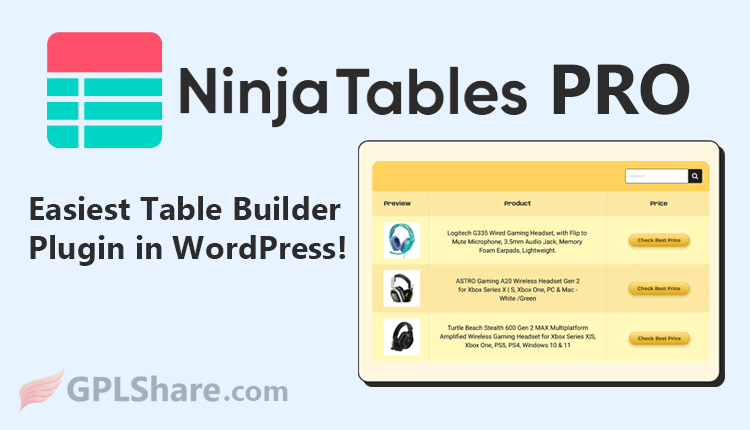

Ninja Tables Pro is one of the most popular data table builder plugins for WordPress. It is designed to help users easily create, manage, and display complex data tables without requiring coding skills (HTML/CSS).
What Exactly Is Ninja Tables Pro?
Ninja Tables Pro is an advanced solution for displaying data in responsive tables—ensuring they look neat and organized across mobile phones, tablets, and desktop computers. It is frequently used to create price comparison tables, product specification charts, member lists, and financial data tables.
Ninja Tables was created and developed by WP Manage Ninja, and it was the company’s first product before they released their popular Fluent product line—including Fluent Forms, FluentCRM, FluentBooking, Fluent Support, FluentAffiliate, and FluentCart.
The plugin is available in two versions: a free version that can be downloaded directly from the WordPress directory, and a paid Pro version.
Differences Between the Free and Pro Versions
Here is a brief comparison of the two:
Ninja Tables Free Version
- Manual Data Input: You must manually enter, edit, and delete table data one by one within the WordPress dashboard.
- Simple Text Formatting: Supports only plain text, numbers, and basic links within table cells.
- Standard Responsiveness: Tables automatically adjust to the screen, but display options for mobile users are very limited.
- Limited Styling Customization: Table colors and visual designs are restricted to a few built-in templates or your WordPress theme.
- Basic Search Features: Visitors can perform keyword searches and sort table data using standard functions.
Ninja Tables Pro Version (Paid)
- Automatic Google Sheets Connection: WordPress tables can connect directly to Google Sheets; if data in Google Sheets changes, the web table updates automatically.
- WooCommerce Integration: You can automatically convert your online store’s product list into an interactive catalog table.
- Rich Multimedia Elements: You can insert images, videos, shortcodes, star ratings, and even “Buy” buttons (Call to Action) into the table.
- Flexible Design & Colors: Freely customize row, column, and text colors, as well as hover effects; includes full support for Bootstrap 3, Bootstrap 4, and Semantic UI.
- Database & Post Type Connection: Can pull data directly from your WordPress database—such as automatically displaying lists of articles (WP Posts) or user data.
- Advanced Responsive Controls: Includes specific features to hide certain columns on mobile devices or switch the table to stack mode for optimal readability on small screens.
Minimum System Requirements
To install the Ninja Tables plugin (both Free and Pro versions), your WordPress site must meet certain minimum system requirements to ensure the plugin runs smoothly and stably:
- WordPress Version: v5.6 or higher.
- PHP Version: PHP 7.1 or higher (Using PHP 7.4 or higher, or PHP 8.x, is highly recommended for security and faster data processing with large tables).
How to Download
- Log in to your GPLShare account
- Go to your download history
- Download Ninja Tables Pro v5.2.18 from the list provided
- Or download directly from this page if you have a premium membership
- That’s it! Enjoy the full version of Ninja Tables Pro.
How to Install Plugin
- Please ensure that you download the
.zipfile from GPLShare - Before installing, you must first unzip the
ninja-tables-pro-5.2.18-pack.zipfile - Go to WordPress Admin → Plugins → Add New → Upload Plugin
- Choose the
.zipinstaller file and click Install Now - After installation, click Activate Plugin
- Done! Ninja Tables Pro is now active on your site
How to Activate License
Basically, the license credentials are not required, as they are only needed to receive updates. However, if you wish to activate the license, here are the instructions
- Once installed, navigate to the License section.
- Enter the required license credentials. (The license credentials can be found inside the package file you downloaded.)
- Done.
This product is licensed under the GPL
The GNU General Public License (GPL) is a copyleft license that guarantees you the freedom to run, study, share, and modify the software. If you distribute the software, whether modified or not, you must also pass on these same freedoms. Source: Official License Text (GPLv3) https://www.gnu.org/licenses/gpl-3.0.en.html
Conclusion & Plugin Download
GPLShare is the ultimate solution for anyone looking for a safe and trusted way to download Ninja Tables Pro v5.2.18. Every product available on our platform is a 100% secure GPL License WordPress Plugin, allowing you to use it on Ninja Tables Pro unlimited sites without any domain restrictions.
While we offer exclusive free download access for our premium members, we strongly advise against risking your website security by using an unsafe Ninja Tables Pro nulled version from GPL markets that provide it completely free.