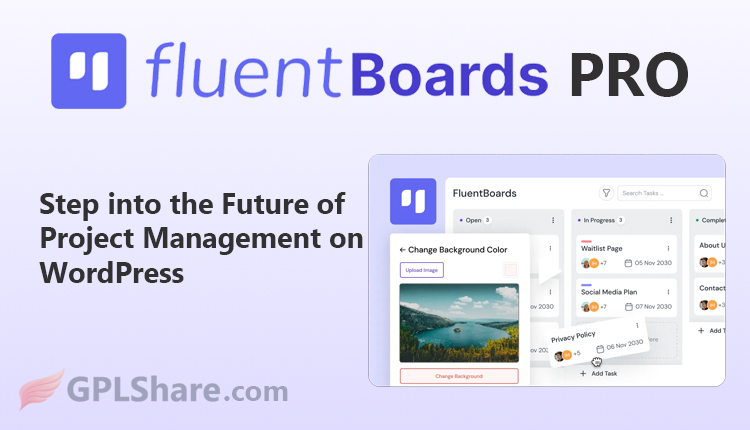

Fluent Boards Pro is a premium, self-hosted project management plugin designed specifically for WordPress websites. It serves as an alternative to SaaS platforms like Trello, Asana, or Monday.com, allowing you to manage entire projects, tasks, and teams directly from your own WordPress dashboard without monthly subscription fees.
Visually, the plugin utilizes a Kanban board system (with drag-and-drop functionality) to track work progress from planning through to completion.
A free version, FluentBoards (without the “Pro” label), is also available. You can download this free version directly from the official plugin directory within your WordPress dashboard. Despite being free, it is highly functional and imposes no limits on basic data volume.
Key Features of Fluent Boards Pro
Compared to the free version, the Pro version unlocks various advanced automation and customization features to accelerate team workflows:
- Time Tracking: Calculates estimated completion times and records the actual duration spent finishing each task.
- Recurring Tasks: Automates the periodic creation of routine tasks (such as weekly or monthly reports).
- Frontend Portal: Allows clients or external team members to view and manage projects via the website’s frontend, without requiring access to the WordPress admin or backend area.
- Fluent Roadmap Add-on: Provides a public roadmap board where users or clients can vote on features or products currently under development.
- Extensive Customization: Supports the creation of custom fields and task templates, as well as specific team member role configurations.
Key Advantages
- Full Data Control: All project data is securely stored within your own web hosting database, rather than on third-party servers.
- “Fluent” Integration: Connects directly with other popular WPManageNinja plugins, such as FluentCRM (contact management/marketing automation), Fluent Forms (converting form submissions into automated tasks), and Fluent Support (turning customer complaint tickets into team tasks).
- Unlimited Scalability: You can create projects and work boards, and add as many team members as you need, without any additional per-user fees.
When Is the Right Time to Upgrade to the Pro Version?
You should upgrade to Fluent Boards Pro when your project management needs outgrow personal use and you begin to encounter the following work scenarios:
1. When Large Tasks Need to Be Broken Down into Small Details
- The Scenario: Your project is becoming complex, and a single task card is no longer sufficient.
- The Pro Need: You need the Subtasks feature to divide a major job into smaller steps that can be checked off one by one.
2. When You Need to Involve Clients Without Messing Up Your WordPress Dashboard
- The Scenario: You are managing projects for external clients, and they want to monitor progress.
- The Pro Need: The Frontend Portal feature allows clients to view, comment on, or track projects via your website’s frontend, without needing access to your sensitive WordPress admin area (backend).
3. When You Need to Calculate Work Duration and Team Wages
- The Scenario: You pay freelancers based on hours worked, or you want to assess your team’s work efficiency.
- The Pro Need: The built-in Time Tracking feature records exactly how many minutes or hours your team spends completing a task.
4. When You Are Tired of Creating the Same Tasks Repeatedly
- The Scenario: Your business involves mandatory routines, such as “Monthly Financial Reports” or “Weekly Evaluations.”
- The Pro Need: The Recurring Tasks feature automatically generates these routine tasks on your board according to a schedule you set.
5. When the Kanban Board View Starts to Feel Confusing
- The Scenario: Too many task cards have piled up from left to right, making it difficult to track deadlines.
- The Pro Need: You need Calendar View (viewing tasks based on calendar dates) and Table View (viewing tasks in rows, like in Excel) to map out schedules more clearly.
6. When You Need to Store Custom Data and File Attachments
- The Scenario: You need to include specific information in a task (e.g., Google Drive links, contact numbers, or budget amounts) and attach supporting documents.
- Pro Requirement: The Pro version unlocks access to Custom Fields and allows you to attach files directly within the task.
How to Download
- Log in to your GPLShare account
- Go to your download history
- Download Fluent Boards Pro v2.2.2 from the list provided
- Or download directly from this page if you have a premium membership
- That’s it! Enjoy the full version of Fluent Boards Pro.
How to Install Plugin
- Please ensure that you download the
.zipfile from GPLShare - Before installing, you must first unzip the
fluent-boards-pro-2.2.2-pack.zipfile - Go to WordPress Admin → Plugins → Add New → Upload Plugin
- Choose the
.zipinstaller file and click Install Now - After installation, click Activate Plugin
- Done! Fluent Boards Pro is now active on your site
How to Activate License
Basically, the license credentials are not required, as they are only needed to receive updates. However, if you wish to activate the license, here are the instructions
- Once installed, navigate to the License section.
- Enter the required license credentials. (The license credentials can be found inside the package file you downloaded.)
- Done.
This product is licensed under the GPL
The GNU General Public License (GPL) is a copyleft license that guarantees you the freedom to run, study, share, and modify the software. If you distribute the software, whether modified or not, you must also pass on these same freedoms. Source: Official License Text (GPLv3) https://www.gnu.org/licenses/gpl-3.0.en.html
Conclusion & Plugin Download
GPLShare is the ultimate solution for anyone looking for a safe and trusted way to download Fluent Boards Pro v2.2.2. Every product available on our platform is a 100% secure GPL License WordPress Plugin, allowing you to use it on Fluent Boards Pro unlimited sites without any domain restrictions.
While we offer exclusive free download access for our premium members, we strongly advise against risking your website security by using an unsafe Fluent Boards Pro nulled version from GPL markets that provide it completely free.