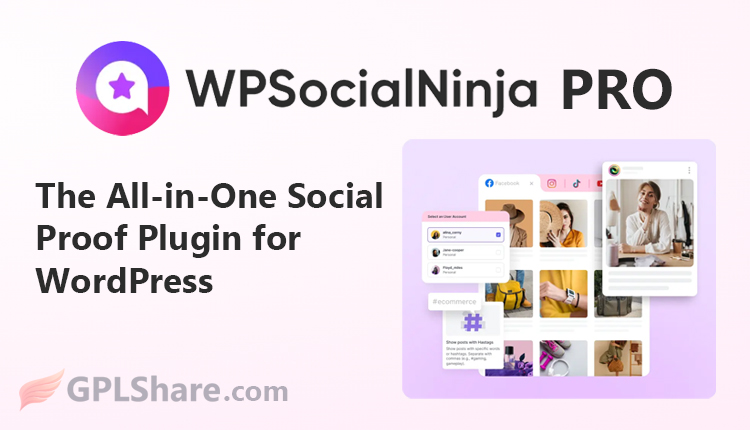

WP Social Ninja is an all-in-one WordPress plugin developed by WPManageNinja (the team behind Fluent Forms, FluentCRM, and several other popular plugins). It is specifically designed to seamlessly integrate social media content into your WordPress website without requiring any coding.
Its primary functions include displaying social feeds, business reviews, chat widgets, notification popups, and testimonials. The goal is to build social proof, boost visitor trust, keep website content fresh, and facilitate communication with potential customers.
The plugin is compatible with page builders such as Elementor, Gutenberg, Beaver Builder, and Oxygen; it supports shortcodes and prioritizes lightweight performance and GDPR compliance.
Differences Between WP Social Ninja Free and Pro
WP Social Ninja comes in two versions: Free (available on WordPress.org) and Pro (paid). The Free version is sufficient for trying out basic features and meeting simple needs, while the Pro version unlocks the plugin’s full capabilities.
Regarding Social Feeds, the Free version supports around 4+ platforms with limited features (typically basic grid layouts, limited templates, and simple sorting options). The Pro version unlocks all feed types (including Facebook Events/Albums, hashtags, tagged posts, and shoppable Instagram), supports multiple accounts, offers more layouts and templates, includes keyword/hashtag filters, interaction buttons, full header customization, and comprehensive video display options.
Regarding Business Reviews, the Free version is usually limited to two major platforms (such as Google Business Profile and Airbnb) with basic templates and filters. The Pro version supports 9 to 10+ platforms, multiple accounts, a wider range of layouts and templates, advanced filters (by rating, keyword, or category), custom reviews, import/export functions, full schema markup, notification popups, and Fluent Forms integration.
Here is a detailed explanation of the differences.
1. Social Feeds
Free Version
- Supports around 4+ platforms with limited features (e.g., basic Instagram, Facebook, YouTube, and TikTok integration).
- Limited layouts (usually Grid only).
- Few templates (approximately 1). Limited post sorting options (around 3 choices).
- No advanced filtering based on keywords or hashtags.
- No Instagram shoppable feed feature.
- Limited customization for headers, styles, and video displays.
Pro Version
- Full access to all platforms and feed types (including Facebook Albums/Events, hashtag feeds, tagged feeds, YouTube playlists, live streams, etc.).
- More layout options (Grid, Carousel, Masonry, etc.).
- More templates and column options.
- Advanced filtering (show/hide posts based on words or hashtags).
- Instagram shoppable features, Like/Share/Subscribe buttons, and full customization (headers, styles, banners, etc.).
- Full support for multiple accounts.
2. Business Reviews
Free Version
- Only 2 main platforms (usually Google Business Profile and Airbnb).
- Limited layouts and templates.
- Limited review filtering and settings.
- No custom reviews, popup notifications, or other advanced features.
Pro Version
- Supports 9–10+ platforms (Google, Facebook, Yelp, Tripadvisor, Amazon, Booking.com, Airbnb, WooCommerce, AliExpress, Trustpilot, Fluent Forms, etc.).
- Multiple accounts and review aggregation from various platforms.
- More layouts and templates.
- Comprehensive filtering (ratings, keywords, categories, hiding textless reviews).
- Additional features: custom reviews, import/export, notification popups, testimonials, full schema snippets, Write a Review buttons, AI review summarizer (in the latest version), and full customization.
3. Social Chat Widgets
Free Version
- Only 2–3 basic chat channels (usually WhatsApp, Messenger, and Telegram).
- Limited templates and customization.
- Limited settings for headers, chat bubbles, and welcome messages.
Pro Version
- Supports 15+ chat channels (WhatsApp, Messenger, Telegram, Instagram DM, Slack, Microsoft Teams, Viber, Line, WeChat, SMS, Email, Phone, LinkedIn, etc.).
- More chat bubble templates and layout options. Full customization (colors, custom icons, profile photos, welcome messages, chat priority, online/offline settings).
Much more flexible display controls.
Overall, the Free version is suitable for testing or very basic needs, while the Pro version offers full control, support for more platforms, and features that make the plugin truly valuable for businesses relying on social proof.
WP Social Ninja Pro for E-commerce
WP Social Ninja Pro is not a standalone e-commerce plugin; it lacks built-in shopping cart, checkout, or inventory management systems. You still need an online store plugin—such as WooCommerce or FluentCart—or another sales platform. WP Social Ninja acts as a supporting tool that connects social media content with the products you sell, making it easier for visitors to transition from “browsing” to “buying.”
WP Social Ninja Pro can facilitate the sales process, particularly through the Shoppable Instagram Feed feature, which is exclusive to the Pro version.
Key Sales Feature: Shoppable Instagram Feed
This feature transforms the Instagram feed on your website into a clickable shopping gallery. Here is how it works:
- You can link individual Instagram posts to specific product pages (e.g., WooCommerce products), your store page, or external URLs (such as Amazon, Shopee, Etsy, or a promotional landing page).
- There are two ways to add links: Manual — Click on posts individually to add a product link and button text (e.g., “Buy Now”). Automatic via Hashtags — Create a global rule; for instance, any post containing #blue-shirt-25 automatically links to the blue shirt product page. This is highly practical if you frequently post products using specific hashtags.
Visitors viewing the feed on your website can click directly on an image or shopping icon and be redirected to the product page to make a purchase. This feature is specifically designed to convert social proof into actual sales.
Other Supporting Features That Boost Sales
Beyond the shoppable feed, WP Social Ninja Pro also supports sales indirectly through:
- WooCommerce Reviews: Displays product reviews from your own WooCommerce store.
- Reviews from other platforms (Amazon, AliExpress, etc.): Can be displayed on product pages to build trust.
- Notification Popups: Displays recent reviews in a popup to reassure visitors and encourage purchases.
- Chat Widgets (WhatsApp, Messenger, etc.): Makes it easy for potential buyers to ask questions about products before purchasing.
- Testimonials: Displays customer testimonials that can be placed on product or checkout pages.
If you run an online store (especially one active on Instagram) and want to leverage your Instagram feed for direct sales on your website, WP Social Ninja Pro is an excellent choice. Its Shoppable Feed, review, and chat features make it a powerful tool for supporting your sales process.
Pros and Cons
The main advantage of WP Social Ninja is its all-in-one nature, which eliminates the need for multiple separate plugins; it also offers a relatively user-friendly interface, solid page builder support, an SEO focus via schema markup, and lightweight performance. The plugin is ideal for local businesses, restaurants, hotels, online stores (WooCommerce), agencies, and creators looking to effectively showcase social proof. Its limitations lie in the fact that the Free version is intentionally restricted to encourage users to experience the value of the Pro version, and that it only displays inbound content rather than functioning as a tool for posting to social media.
WP Social Ninja Installation Requirements
Based on the official WP Social Ninja documentation, here are the minimum requirements that must be met before installing the plugin:
System (Server) Requirements
- WordPress Version: 5.6 or higher
- PHP Version: 7.1 or higher
These two requirements apply to both the Free and Pro versions. Using newer versions of WordPress and PHP (e.g., WordPress 6.x and PHP 8.0 or higher) is recommended for optimal performance and compatibility with the latest features.
Specific Requirements for the Pro Version
- You must install and activate the Free (core) version first.
- Once the Free version is active, you can then upload the Pro version ZIP file and activate the license key.
Other Preparations
- Access to the WordPress dashboard (administrator privileges).
- Social media accounts or platforms you wish to connect (Instagram, Facebook, Google Business Profile, YouTube, TikTok, WhatsApp, etc.). Some platforms require a business account or API permissions.
- A stable internet connection during the account connection process.
- It is recommended to use hosting that supports modern PHP and has sufficient memory (although the plugin is relatively lightweight).
Additional Notes
The plugin does not require any specific additional libraries or plugins for basic functionality. However, if you wish to utilize advanced integration features (such as WooCommerce reviews or Fluent Forms), the relevant plugins must be installed.
The requirements above are minimal, meaning most modern WordPress websites already meet them. If your server is running a PHP version below 7.1 or WordPress below 5.6, it is recommended to upgrade before installing WP Social Ninja.
How to Download
- Log in to your GPLShare account
- Go to your download history
- Download WP Social Ninja Pro v4.4.0 from the list provided
- Or download directly from this page if you have a premium membership
- That’s it! Enjoy the full version of WP Social Ninja Pro.
How to Install Plugin
- Please ensure that you download the
.zipfile from GPLShare - Before installing, you must first unzip the
wp-social-ninja-pro-4.4.0-pack.zipfile - Go to WordPress Admin → Plugins → Add New → Upload Plugin
- Choose the
.zipinstaller file and click Install Now - After installation, click Activate Plugin
- Done! WP Social Ninja Pro is now active on your site
How to Activate License
Basically, the license credentials are not required, as they are only needed to receive updates. However, if you wish to activate the license, here are the instructions
- Once installed, navigate to the License section.
- Enter the required license credentials. (The license credentials can be found inside the package file you downloaded.)
- Done.
This product is licensed under the GPL
The GNU General Public License (GPL) is a copyleft license that guarantees you the freedom to run, study, share, and modify the software. If you distribute the software, whether modified or not, you must also pass on these same freedoms. Source: Official License Text (GPLv3) https://www.gnu.org/licenses/gpl-3.0.en.html
Conclusion & Plugin Download
GPLShare is the ultimate solution for anyone looking for a safe and trusted way to download WP Social Ninja Pro v4.4.0. Every product available on our platform is a 100% secure GPL License WordPress Plugin, allowing you to use it on WP Social Ninja Pro unlimited sites without any domain restrictions.
While we offer exclusive free download access for our premium members, we strongly advise against risking your website security by using an unsafe WP Social Ninja Pro nulled version from GPL markets that provide it completely free.