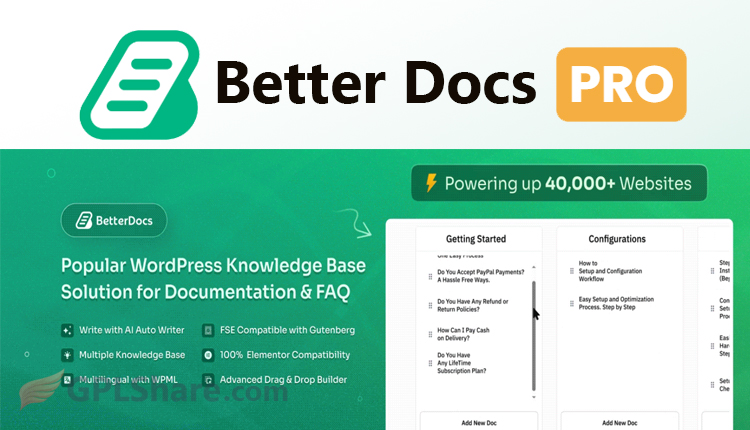

BetterDocs Pro is a top-tier knowledge base plugin for WordPress made by WPDeveloper. It is made to help people who run websites build, handle and arrange information about their products or services in a way, which helps cut down on the number of customer support requests.
Here is a look, at the features situations where it is used and the ways it works with other tools:
BetterDocs Pro Feature Details
The Free Version Doesn’t Include Advanced AI-Driven Functionality & Multi-Product Management Features, Like Multiple Knowledge Base (Multi-KB) Or Internal Knowledge Base (Private Docs), Etc.
- Multiple Knowledge Base (Multi-KB) – It allows users to create multiple and different types of knowledge base within their own website. It is great if your company has many different kinds of products/services.
- Internal Knowledge Base (Private Docs) – You can restrict some docs from being accessed by some other people depending on the role they have. And it’s great for creating internal docs for your team, business partner, or even your premium customer.
- AI Writing Assistant & ChatBot – Access to advanced AI features for generating drafts based on your keywords and producing automatic summaries. Instant Answer ChatBot that instantly answers user questions through the chat interface.
- Glossary & Encyclopedia – Define complex terms in a glossary with short explanations that appear when users hover over those words in an article. Ability to compile all terms into one big A-Z alphabetical encyclopedia page.
- Insightful Analytics – Track your article’s success with our intuitive charts. View statistics about views and visitor engagement, likes/dislikes. Find out which search terms are missing relevant articles, so you can fill the gaps.
- Git Sync (GitHub & GitLab) – It allows developers to automatically synchronize technical documentation straight out of their GitHub or GitLab repositories right into your WordPress.
Design & Layout Compatibility
BetterDocs Pro gives you a range of ready-made templates like Slate, Handbook and Modern layouts. It works perfectly with the WordPress editor, Gutenberg and also supports popular page builders such, as Elementor. You can move categories or articles with a drag and drop. Everything is simple and easy to use!
Strategies to Optimize Your Help Center
1. Use an Easy-to-Navigate Layout
First of all, we need a clean layout for the help center with a responsive search bar on the top.
If you’re working with a page builder to build your website, then integrating with Essential Addons for Elementor will grant you some awesome ready-made widgets which will enhance your guide pages even more, and all of this without needing coding skills!
2. Group Documents by Product Category
Avoid putting everything on one big centralized page if you manage several services/products for your business, this will get confusing fast. A Multiple Knowledge Base feature allows you to keep docs separated by each service/product.
3. Leverage AI Automation and Chatbots
Don’t leave your site visitors stuck on search pages trying to find useful articles.
Implement an “Instant Answer Chatbot” that will predictively suggest guide articles automatically while your customers are typing their problems into the chat widget.
4. Monitor Unsuccessful Searches (Content Gaps)
Check in on your evaluation regularly. Use this time to dig into your analytics dashboard. Find those words or phrases your customers are frequently searching for, but there’s nothing on your site about them right now.
You can use these insights from your analytics to build out new content specifically targeting those searches.
How to Download
- Log in to your GPLShare account
- Go to your download history
- Download BetterDocs Pro v4.3.1 from the list provided
- Or download directly from this page if you have a premium membership
- That’s it! Enjoy the full version of BetterDocs Pro.
How to Install Plugin
- Please ensure that you download the
.zipfile from GPLShare - Before installing, you must first unzip the
betterdocs-pro-4.3.1-pack.zipfile - Go to WordPress Admin → Plugins → Add New → Upload Plugin
- Choose the
.zipinstaller file and click Install Now - After installation, click Activate Plugin
- Done! BetterDocs Pro is now active on your site
How to Activate License
Basically, the license credentials are not required, as they are only needed to receive updates. However, if you wish to activate the license, here are the instructions
- Once installed, navigate to the License section.
- Enter the required license credentials. (The license credentials can be found inside the package file you downloaded.)
- Done.
This product is licensed under the GPL
The GNU General Public License (GPL) is a copyleft license that guarantees you the freedom to run, study, share, and modify the software. If you distribute the software, whether modified or not, you must also pass on these same freedoms. Source: Official License Text (GPLv3) https://www.gnu.org/licenses/gpl-3.0.en.html
Conclusion & Plugin Download
GPLShare is the ultimate solution for anyone looking for a safe and trusted way to download BetterDocs Pro v4.3.1. Every product available on our platform is a 100% secure GPL License WordPress Plugin, allowing you to use it on BetterDocs Pro unlimited sites without any domain restrictions.
While we offer exclusive free download access for our premium members, we strongly advise against risking your website security by using an unsafe BetterDocs Pro nulled version from GPL markets that provide it completely free.