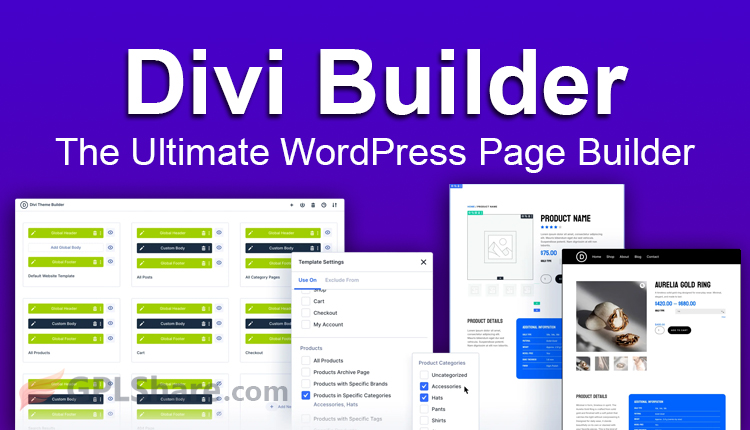

Divi Builder is one of the premium page builder plugins created by Elegant Themes with a drag-and-drop system. Even though you are still a beginner, you can still use this plugin because it is made for everyone without having to have coding skills.
The Divi Theme and Extra Theme actually already have the Divi Builder feature as a built-in feature, but this feature is also made in a separate plugin form for those of you who use other themes. So this plugin can be used as a page builder across various themes, just like the Elementor plugin.
The Difference Between Divi Theme and Divi Builder Plugin
There are many users who often confuse the two because they have an identical interface. The difference lies in the scope of the system, here I explain a little so you understand.
Divi Theme is a theme that is already equipped with a builder feature, namely Theme + Divi Builder. Meanwhile, the Divi Builder plugin is a separate plugin. Both uses are the same, the difference is that one is a built-in feature while the other is a separate plugin form.
Anatomy & Design Hierarchy
Divi Builder works using an organized three-tier hierarchical layout structure system, here are the details:
- Section. This is the largest container that divides the page horizontally. Consists of Regular Section, Fullwidth Section, and Specialty Section for complex sidebar layouts.
- Row. This is placed inside a Section, functioning to divide space into column structures such as 1 full column or a combination of 6 asymmetrical columns.
- Module. Functional content elements placed inside columns. Divi provides many built-in modules such as text, image, button, contact form, gallery, slider, pricing table, countdown timer, custom dynamic WooCommerce modules, and many more.
Every element has three main settings tabs, namely:
- Content. To manage text content, links, images, backgrounds.
- Design. To manage visual aesthetics precisely such as typography, margin or padding spacing, shadows, color filters, animations, and 3D transform effects.
- Advanced. This provides advanced-level controls such as inserting Custom CSS per element, display condition settings, absolute/fixed positioning, and per-device visibility.
The Transition from Divi 4 to Divi 5 in 2026
The technical history of Divi is divided into two eras. Initially for many years, Divi relied on a shortcode system to store page structures. The downside of this system was the shortcode lock-in effect for example, if the plugin was disabled, pages would turn into messy text code, along with heavy DOM processing loads.
On February 26, 2026, its author named Elegant Themes officially released version 5, namely Divi 5. In this version, all code was rebuilt and completely transformed in a modern style, with the following details:
- Shortcode Removal. The shortcode system is no longer used, now shifting entirely to WordPress’s block-based storage format. So, the code is much cleaner, lighter, and free from lock-in.
- Extreme Speed. The Visual Builder interface runs 2 to 4 times faster when editing long pages.
- Dynamic Framework & Critical CSS. Only loads JavaScript and CSS code from modules that are actually used on that page. Automatically generates Critical CSS to boost Google Core Web Vitals scores.
- Modern Layout System. Now supports CSS Flexbox, CSS Grid, Design Variables, and Class-Based Option Presets. So, you can change the appearance of hundreds of elements at once.
- Loop Builder. With the dynamic query builder or custom loop feature you can design the display of article lists, portfolios, or WooCommerce products freely without the limits of standard templates.