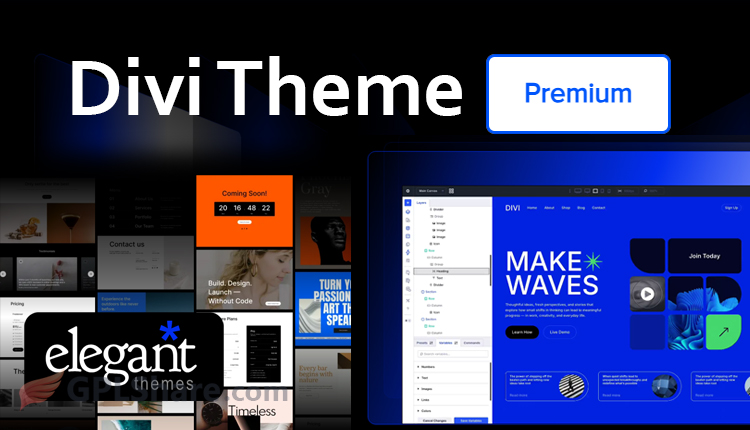

Divi Theme is one of the most popular themes often heard among WordPress website creators, right? This theme was created back in 2013, initially just an ordinary elegant theme. But over time, its developer, Elegant Themes, overhauled the theme significantly by adding a page builder feature.
Divi Theme has now become an all-in-one design framework, further enhanced by its latest version, Divi 5, which uses a modern block-based architecture without reliance on legacy shortcodes.
How Divi Theme Works
Divi is actually divided into two main components that are integrated with each other, namely Divi Theme and Divi Visual Builder. Here is a brief explanation:
- Divi Theme. This is a multifunctional parent theme, controlling the site’s global structure such as typography, base colors, performance settings, and system integration.
- Divi Visual Builder. As a drag-and-drop-based editing engine, it works in real-time on the frontend as well as in wireframe mode on the backend. You can click on text, images, or layouts directly on the page and see the changes.
Note: Divi Builder is available as a built-in feature if you use one of the themes, namely Divi Theme or Extra Theme. But if you use another theme, this feature is available as a separate plugin. The Divi Builder plugin is available here.
Key Features of the Divi Theme
Divi is designed so beginners can build a site even without coding skills, while also giving developers full control.
- Divi 5 Modern. In the 5.x release or fifth generation, Divi has moved away from the shortcode system and switched to WordPress block-based storage and a new API. As a result, the editor rendering process is much faster and the HTML code generated is cleaner.
- Advanced Layout System. Divi now fully supports CSS Flexbox and CSS Grid, Global Variables, Element Presets, and Customizable Breakpoints for responsive settings across various screen sizes.
- Divi Theme Builder. A feature for visually creating the core parts of a theme such as the Header, Footer, blog archive pages, search pages, 404 error pages, and WooCommerce product templates.
- Loop Builder & Dynamic Content. This feature helps you pull data from Custom Post Types (CPT) or Advanced Custom Fields (ACF) and display it in a fully customized loop layout.
- Built-in Modules & WooCommerce. There are more than 40 ready-to-use modules such as contact forms, galleries, sliders, accordions, pricing tables, maps, etc., and dozens of WooCommerce modules for creating custom shop, cart, and checkout pages.
- Built-in Performance Optimization. There is a Dynamic Assets feature that only loads scripts and CSS from modules used on that page, automatic Critical CSS, modular JavaScript, and cache integration.
- Divi Leads or Split Testing. This is a built-in A/B testing tool, so you can compare two design or text variations to see which produces higher conversions.
Additional from Elegant Themes
If you subscribe to Elegant Themes, you may get access to the following products and supporting services:
- Divi AI & Divi AI Agent. This is an artificial intelligence assistant integrated directly into the builder to write content, create/edit images, write custom CSS code, and build page layouts using natural language commands.
- Divi Cloud. This is cloud storage for saving your favorite layouts, sections, or design components. So you can reuse designs you have already saved.
- Divi Dash. This is a management dashboard for updating themes, plugins, managing users, and monitoring multiple websites from just one place.
- Divi Marketplace. You have access to an official marketplace containing child themes, layouts, and third-party extensions to add functionality.
Important note: The features above are only available if you subscribe to Elegant Themes officially and may not be available in the GPL version. If you download from our website for unlimited websites, you must comply with our Refund Policy at https://www.gplshare.com/refund-policy/
Advantages & Disadvantages of Using Divi Theme
Before you decide to buy this theme, I will explain a little about its advantages and disadvantages. So, I don’t want you to choose a product before understanding these things.
Advantages of Divi Theme
- Cost-saving for Agencies/Freelancers. Just one license, especially on the Lifetime package. You can build hundreds of client sites at no cost per site.
- High Design Flexibility. You have full control over every pixel, animation, scroll effect, and responsiveness. No coding skills required.
- Large Community & Resources. Divi has millions of active users, thousands of tutorials, and thousands of ready-to-use layout packs.
Note: For GPLShare.com users, licensing, Unlimited Websites, and support are governed by our Refund Policy.
Disadvantages of Divi Theme
- Learning Curve. If you’re a beginner, you’ll have to study a lot because Divi has many setting options. If not, you’ll definitely feel confused because you’re not used to it yet.
- Page Weight or Bloat. The visual page builder produces a more complex DOM structure compared to pure block-based themes like GeneratePress or Kadence. Although Divi 5 is lighter and faster than Divi 4.
- Old Site Migration. Especially for those of you who used Divi 4 previously and want to upgrade to Divi 5, the migration process must be tested first. This is done to maintain compatibility, particularly for those of you using many third-party extensions.