
Losing website data is an issue that any website owner wants to avoid at all costs. Threats to your WordPress site, ranging from cyberattacks and technical errors during plugin updates to server failures, can strike at any time. This is why having a backup system is crucial.
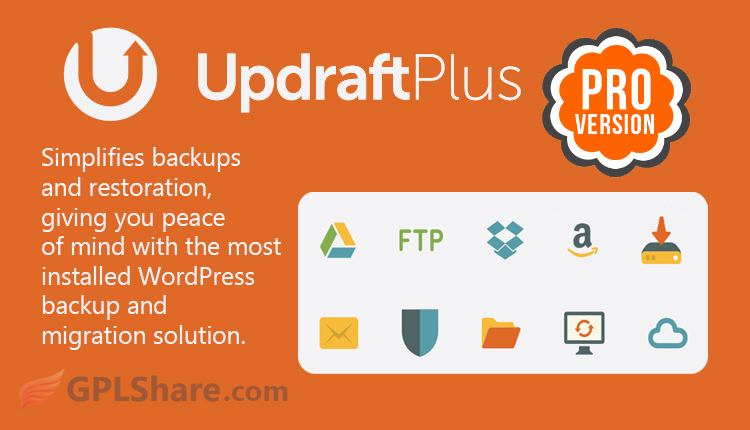
UpdraftPlus Premium has long been recognized as the worlds popular WordPress backup plugin boasting over 3 million active installations. While the free version suffices for needs UpdraftPlus Premium offers enhanced automation and security features tailored for professional websites, agencies and ecommerce stores.
I wrote this article to explain why using UpdraftPlus Premium is essential, for safeguarding your assets.
Save Server Space and Keep Things Light
The free version makes you download your site from the beginning each time you create a backup. For sites that have tens of gigabytes of data this takes a long time uses a lot of cloud storage and slows down the server.
UpdraftPlus Premium solves this by using Incremental Backups. The tool only moves files that’re new or changed since the last backup. Because of this your backups happen quicker take up less space and stop your server from crashing during the process.
Pro Tip: If you want to get performance from your server and make sure your database is not full of unnecessary files use UpdraftPlus together with an optimization tool such as WP-Optimize Premium. It is a combination, for a fast and clean website.
Automatic Protection Before You Start an Update
We have all experienced this situation: you update a plugin or a theme. Then your site stops working or shows a blank white screen. This is one of the common problems WordPress users deal with.
With Premium you do not have to pray that everything works. The plugin automatically saves your data before any theme, plugin or core update. If something goes wrong you can bring your website back, to the working state with one click.
UpdraftPlus Flexible Cloud Storage Options
The free version gives you standard choices like Google Drive and Dropbox. If you want choices UpdraftPlus Premium gives you access to many different cloud storage services, including:
- Microsoft OneDrive
- Microsoft Azure
- SFTP / SCP / SSH
- Google Cloud Storage
- WebDAV
Also every Premium license comes with 1 GB of free storage, on UpdraftVault. The cloud storage that UpdraftPlus created. This cloud storage is dedicated, very secure and encrypted.
Note: Because the cloud storage that UpdraftPlus created needs a official premium account to connect to their servers this particular feature does not work with the GPL version we provide.
If you are selling digital products the last thing you want is people downloading your files for free. To keep your assets locked and keep public access out it is smart to set up an extra layer of security using Prevent Direct Access Gold. The plugin keeps your files safe and protect your digital products.
Multi Site Management and Custom Folder Settings
If you are in charge of websites like for agency clients, the free version puts all your backup files into one single default folder on your Google Drive. As you can imagine this quickly turns into a mess.
The Premium version solves this by letting you set a folder name for each individual site. It also includes support for WordPress Multisite (WPMU) networks, which means you can back up and manage your whole network from one single centralized dashboard.
For those of you who handle thousands of image, document and video assets across client sites organizing your media library becomes much simpler and more structured when you use Sigma Media Manager. It brings order to the chaos. Helps you keep everything in one place. You can find what you need quickly no matter how files you have. Its built to make your daily work smoother and more efficient.
Strong Database Encryption for Maximum Security
Your WordPress database contains your important information, from user passwords and sales details, to customers personal data.
UpdraftPlus Premium has built in database encryption. This means your data gets protected with encryption before it even goes to the cloud. Even if someone breaks into your cloud storage your data will look like nonsense to them.
How to Download
- Log in to your GPLShare account
- Go to your download history
- Download UpdraftPlus Premium v2.26.8.26 from the list provided
- Or download directly from this page if you have a premium membership
- That’s it! Enjoy the full version of UpdraftPlus Premium.
How to Install Plugin
- Please ensure that you download the
.zipfile from GPLShare - Go to WordPress Admin → Plugins → Add New → Upload Plugin
- Choose the
updraftplus-2.26.8.26.zipfile and click Install Now - After installation, click Activate Plugin
- Done! UpdraftPlus Premium is now active on your site
This product is licensed under the GPL
The GNU General Public License (GPL) is a copyleft license that guarantees you the freedom to run, study, share, and modify the software. If you distribute the software, whether modified or not, you must also pass on these same freedoms. Source: Official License Text (GPLv3) https://www.gnu.org/licenses/gpl-3.0.en.html
Conclusion & Plugin Download
GPLShare is the ultimate solution for anyone looking for a safe and trusted way to download UpdraftPlus Premium v2.26.8.26. Every product available on our platform is a 100% secure GPL License WordPress Plugin, allowing you to use it on UpdraftPlus Premium unlimited sites without any domain restrictions.
While we offer exclusive free download access for our premium members, we strongly advise against risking your website security by using an unsafe UpdraftPlus Premium nulled version from GPL markets that provide it completely free.