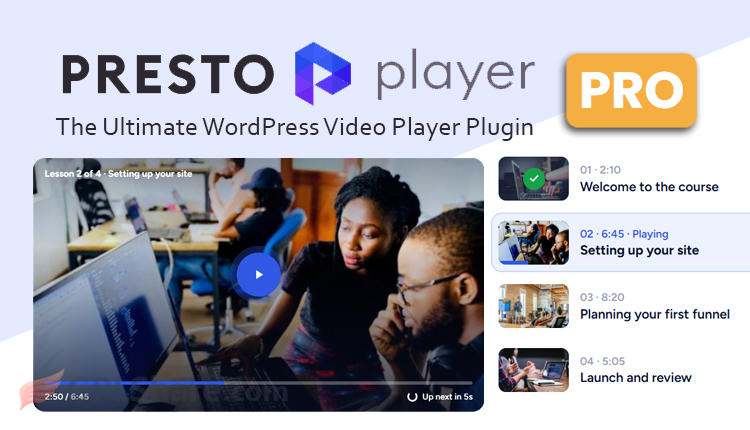

Presto Player Pro will change the way your media playback works for the better compared to WordPress’s default playback. In its free version, you can use the basic features that are the main features of the core plugin, but here we discuss the pro version that you may not know about yet.
Hosting and Content Security
If you have a lot of videos and plan to self-host using shared hosting, this is not a good idea. Media files such as video and audio consume a lot of memory so they can cause your storage to fill up quickly. Another problem is that video URLs are unprotected, anyone can download your videos. You need third-party storage to solve this problem, namely Bunny.net as video storage. Presto Player Pro can be integrated with Bunny.net, you can connect Bunny.net with your website via API.
If you use Bunny.net, your videos are encoded into HLS format so your video quality becomes better and the user playback experience becomes better. Your video quality will be played according to the viewer’s internet speed.
Your video links can be protected, for example by applying an expiration date, or only being playable on your website, etc.
You can display watermarks such as name, email, or anything so they are not pirated by others.
Some features of Presto Player Pro
- Email Opt-in Gate. You can lock the video at a specific second (for example at the 30th second) and bring up an email registration form. Viewers must enter their email to continue the video.
- Direct CRM & Email Marketing Integration. The collected email data is sent directly to platforms such as FluentCRM, ActiveCampaign, MailChimp, MailerLite, or via webhook and automation (SureTriggers, AutomatorWP).
- Call-to-Action (CTA) Overlay & Action Bar. Allows the addition of a call-to-action button (for example a “Buy Now” button) that appears in the middle of the video or on the player’s bottom bar at a specified time.
- Muted Autoplay with Click for Sound. Overcomes autoplay blocking by modern browsers by playing the video automatically without sound accompanied by an animated call-to-action text (such as “Click to listen”), which is very effective for sales pages (landing pages).
- Custom Video Presets. You don’t need to configure the appearance of each video one by one. You can create different configuration templates (presets)—for example, a “Course” preset (no skip button, hides the logo) and a “Marketing” preset (with autoplay and a CTA button).
- Video Chapters. Allows splitting long-duration videos into multiple segments/chapters that can be clicked directly on the player timeline, very useful for tutorial videos or lesson modules.
- Sticky Video Player (Picture-in-Picture). When the user scrolls down the page to read an article, the video player automatically shrinks and floats in the corner of the screen so viewers can keep watching.
- Position & Preference Memory. The player remembers the point where the viewer last stopped watching, and saves their playback speed and volume preferences.
- Presto Popups & Playlist. Supports creating sequential playlists and triggering videos to appear in a popup window when a specific image or button is clicked.
- Native LMS Integration. Can be integrated with LearnDash, LifterLMS, TutorLMS, and SureMembers. Features like Video Progression allow the system to lock the “Mark Complete” button until the student watches a minimum percentage of the video (e.g., 90%).
- In-Depth Analytics & Student Tracking. Provides an internal analytics dashboard to view view counts, average watch time, and audience retention graphs (at which second viewers most often stop watching). For logged-in users, this plugin records viewing history for each individual student.
- Google Analytics Integration. Sends video interaction events (start, pause, complete) directly to your Google Analytics property.
- Lightweight Architecture. Built using modern web components standards and the latest Block API without relying on heavy libraries like jQuery, so page speed scores (Core Web Vitals) remain well-maintained.
- Smart Lazy Loading. For YouTube or Vimeo videos, Presto Player Pro does not load heavy third-party scripts until the visitor actually clicks the play button. Instead, the plugin only loads a static thumbnail image first.
- Extensive Page Builder Support. Features built-in blocks for Gutenberg (Block Editor), a dedicated widget for Elementor, a module for Beaver Builder, Divi 5 support, as well as a centralized Media Hub system that generates shortcodes for use in any builder.
Note: This plugin requires the free version of Presto Player to work correctly.