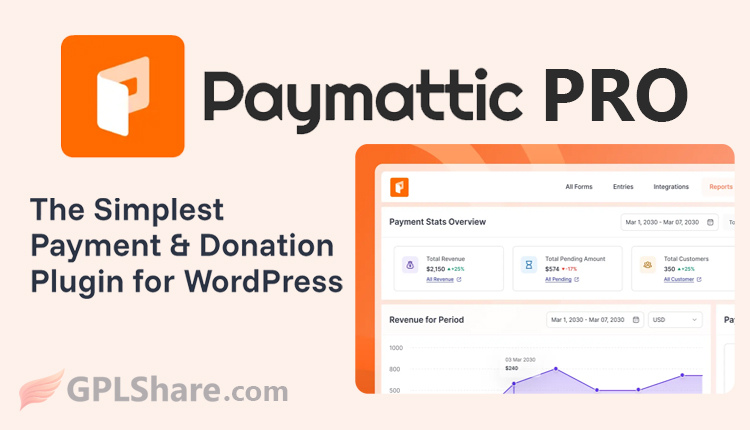

Paymattic is a lightweight WordPress plugin designed to simplify the creation of payment forms and donation collection. The free version serves as an ideal entry-level solution for those just beginning to digitize their financial systems without any upfront investment. It features an intuitive drag-and-drop form builder for accepting one-time payments or donations.
However, payment gateway options are quite limited in the free version; by default, it only supports Stripe for online transactions and manual offline payment options.
Additionally, the available form fields are standard elements, and integration capabilities with third-party platforms—such as email marketing tools or CRMs—are minimal. This version is best suited for small-scale operations requiring a simple transaction system without monthly subscription fees.
On the other hand, Paymattic Pro is designed as a robust business growth engine capable of handling professional-grade transactions and full automation. Upgrading to this paid version unlocks access to over 14 global and regional payment gateways—including PayPal, Square, and Mollie.
The Pro version’s key strengths lie in its ability to manage recurring payments (subscriptions) and offer advanced donation features, such as progress bars, donor profile management, and custom discount coupons.
Furthermore, Paymattic Pro integrates seamlessly with a wide range of other WordPress plugins—from online course platforms (LMS like LearnDash) and marketing tools (FluentCRM, Mailchimp) to thousands of other applications via Zapier. This makes it an excellent investment if you aim to build an integrated digital business that offers flexible payment methods for customers and leverages in-depth data analytics.
Key Features of Paymattic Free (Free Version)
This version provides reliable, basic modules for simple transaction needs at no licensing cost.
- Drag-and-Drop Form Builder: Easily create basic payment forms by simply dragging and dropping the required elements.
- Stripe Integration: Full support for the Stripe payment gateway to accept global credit card payments online.
- Offline Payments: Offers options for manual bank transfer instructions or “pay-on-site” methods for customers.
- One-Time Payments: Supports only single-payment transactions (not installments or subscriptions).
- Basic Data Export: Download transaction data in CSV format for simple bookkeeping purposes.
- Standard Security: Includes basic security features to protect the transaction process on your WordPress site.
Premium Features of Paymattic Pro (Paid Version)
This version removes the limitations of the free version, offering complete payment flexibility and support for complex business automation.
- 14+ International & Local Payment Gateways: Unlocks access to PayPal, Square, Mollie, Razorpay, and more.
- Recurring Payments (Subscriptions): Automatically collect monthly or annual subscription fees from customers or donors.
- 35+ Custom Form Fields (Advanced Fields): Provides richer form elements, such as file uploads, multi-column layouts, and mathematical calculation fields.
- Advanced Donation Management System: Includes features like donation goal progress bars, donor profile accounts, and top donor leaderboards.
- Coupon and Discount System: Create custom promo codes offering percentage-based or fixed-amount discounts to attract buyers.
- Integrations: Automatically connects with online course platforms (TutorLMS, LearnDash), email marketing tools (FluentCRM, Mailchimp), and external automation services via Webhooks and Zapier.
- In-Depth Analytics & Reporting: Features a visual dashboard displaying real-time revenue charts, form performance, conversion rates, and customer retention metrics.
Does Paymattic Support WooCommerce?
Paymattic and WooCommerce are plugins designed for different purposes; consequently, they do not integrate directly with one another (Paymattic is not a payment gateway extension for the standard WooCommerce checkout page).
Here is an explanation of how they relate to each other:
1. Paymattic Functions as a WooCommerce “Alternative”
If you wish to sell digital products, services, or memberships, or accept donations, Paymattic allows you to sell directly via WordPress without needing WooCommerce. WooCommerce is often considered “heavyweight” because it requires a shopping cart system, a complex checkout process, and inventory management. Paymattic streamlines this process, enabling customers to make payments directly through a single, concise form.
2. Integration via Automation (Third-Party)
Although Paymattic cannot serve as the payment engine within a WooCommerce shopping cart, you can link Paymattic transaction data with WooCommerce using workflow automation plugins like Bit Integrations or Zapier.
- Use case example: When someone completes a payment form in Paymattic, the automation system can automatically trigger the creation of an order or register a new customer within the WooCommerce system.
Summary of Usage Differences
- Use WooCommerce if you operate a complex online store featuring multiple physical product variations, a shopping cart system (add to cart), automated shipping cost calculations, and warehouse inventory management.
- Use Paymattic if you are selling only a few items, services, event tickets, or donation programs where payments can be completed via a single form page without the need for a shopping cart.
The Paymattic Pro Plugin: Lightweight Performance
Paymattic Pro is known as one of the most lightweight payment and donation plugins for WordPress.
The plugin was intentionally designed by its developer, WP Manage Ninja, to prioritize website performance speed. Unlike major e-commerce solutions such as WooCommerce, Paymattic does not burden the database or slow down your page load times.
Here are a few reasons why Paymattic Pro remains lightweight despite being feature-rich:
Why Is Paymattic Pro So Lightweight?
- No Bloated Database Structure: Unlike traditional e-commerce plugins that create dozens of new database tables for shopping carts, inventory management, and shipping variations, Paymattic focuses solely on processing form data and direct transactions.
- Optimized Code (Clean Code): Plugin scripts and assets load only on the specific pages where you have embedded a payment form. This prevents performance degradation on other pages of your website.
- No Separate Add-ons Required: Some competing plugins require you to install separate extensions or additional plugins for every payment gateway or new feature, which can gradually slow down WordPress. With Paymattic Pro, all built-in features and over 14 payment gateways are bundled directly into a single core plugin.
- A WooCommerce Alternative: If you are selling only a few digital products, consulting services, or event tickets, using Paymattic instead of WooCommerce will make your website’s performance significantly more responsive.
Differences Between Paymattic Pro and FluentCart Pro
Although Paymattic Pro and FluentCart Pro were created by the same developer (WP Manage Ninja), they are designed for vastly different purposes and workflows.
The primary difference lies in how customers interact with and purchase products: Paymattic Pro is based on a single-form approach, whereas FluentCart Pro is a full-fledged online store (e-commerce) platform—similar to Shopify or WooCommerce—optimized for performance.
Here is an in-depth comparison to help you distinguish between them:
1. Core Concept & User Experience (UX)
- Paymattic Pro (Form-Centric): Focuses on data collection and direct payment via a single dedicated form (single-page checkout). Users enter their name and email, select a payment amount, and pay immediately on the same page. There is no shopping cart system (no “add to cart” functionality).
- FluentCart Pro (Store-Centric): Designed as a complete online store platform. It features a product catalog (shop page), product cards, product detail pages with photo galleries, Add to Cart buttons, and a dedicated checkout page. Customers can purchase multiple types of products in a single transaction.
2. Product Types & Inventory Management
- Paymattic Pro: Ideal for single products or services. Examples include non-profit donations, event or seminar registration fees, hourly consulting services, or membership fee payments. Its stock management features are very basic.
- FluentCart Pro: Built specifically to handle comprehensive sales models, ranging from physical products (complete with warehouse inventory management, size/color variations, shipping cost calculations, and packing slip printing) to digital products (such as ebooks or software requiring automated license delivery and encrypted download links).
3. Key Feature Focus
- Paymattic Pro: Includes advanced donation management features not found in FluentCart, such as fundraising progress bars, recurring donor profile management, and top donor leaderboards.
- FluentCart Pro: Features robust online store operations capabilities, such as advanced conditional coupon creation, a customer retention dashboard, subscription churn rate analytics, automated tax/VAT management, and deep native integration with other Fluent plugins like FluentCRM.
Conclusion: Which One Should You Choose?
- Choose Paymattic Pro if your site belongs to a non-profit organization requiring a donation collection system, or if you are a freelancer or agency simply looking to set up instant payment forms for services and event tickets.
- Choose FluentCart Pro if you want to build a full-fledged online store to sell various products—ranging from clothing, food, and cosmetics to digital files and online courses—but desire a system that is significantly faster, more lightweight, and more modern than WooCommerce.
Paymattic Pro Installation Requirements
To install and run Paymattic Pro smoothly on your website, there are several technical (system) and operational requirements that must be met.
Here are the complete details regarding Paymattic Pro installation requirements:
System & Server Requirements (Technical)
Your WordPress site must meet the following specifications to ensure the plugin’s code runs optimally without errors:
- WordPress Version: WordPress 5.3 or higher.
- PHP Version: PHP 7.4 or newer. Using PHP version 8.x is highly recommended for faster transaction encryption.
- SSL Certificate (HTTPS): Must be active. Since Paymattic Pro processes sensitive data such as credit card and banking information, payment gateways like Stripe, PayPal, and Xendit strictly reject transactions from websites that do not use HTTPS (https://).
Plugin Dependency Requirements
- Free Version Must Be Installed First: You cannot activate the Pro version independently on its own. The installation process requires you to first install and activate Paymattic Free directly from the WordPress repository, and then upload the Paymattic Pro .zip file as a complementary add-on.
License & File Requirements
- Official Account and .zip File: You must have an account on the official Paymattic website to purchase a license and download the Pro version’s .zip installation file. Alternatively, you can download it from your download history on our website if you have already purchased it or gained access.
- License Key: You need an official license key to enter into the WordPress dashboard after activation. This license is crucial for receiving automatic updates, which ensure long-term transaction security. You may also use the license key provided in the download package from our website, though this does not support automatic updates.
Payment Gateway Operational Requirements
- Active Merchant Account: To enable online payment features, you must register for and possess a verified merchant account with your chosen payment gateway (such as Stripe, PayPal, or others).
- API Credentials (API Keys): You must obtain the Public Key/Client ID and Secret Key from the payment gateway’s dashboard and copy them into the Paymattic Pro settings so that the form system can connect to your bank account.
How to Download
- Log in to your GPLShare account
- Go to your download history
- Download Paymattic Pro v4.6.26 from the list provided
- Or download directly from this page if you have a premium membership
- That’s it! Enjoy the full version of Paymattic Pro.
How to Install Plugin
- Please ensure that you download the
.zipfile from GPLShare - Before installing, you must first unzip the
wp-payment-form-pro-4.6.26-pack.zipfile - Go to WordPress Admin → Plugins → Add New → Upload Plugin
- Choose the
.zipinstaller file and click Install Now - After installation, click Activate Plugin
- Done! Paymattic Pro is now active on your site
How to Activate License
Basically, the license credentials are not required, as they are only needed to receive updates. However, if you wish to activate the license, here are the instructions
- Once installed, navigate to the License section.
- Enter the required license credentials. (The license credentials can be found inside the package file you downloaded.)
- Done.
This product is licensed under the GPL
The GNU General Public License (GPL) is a copyleft license that guarantees you the freedom to run, study, share, and modify the software. If you distribute the software, whether modified or not, you must also pass on these same freedoms. Source: Official License Text (GPLv3) https://www.gnu.org/licenses/gpl-3.0.en.html
Conclusion & Plugin Download
GPLShare is the ultimate solution for anyone looking for a safe and trusted way to download Paymattic Pro v4.6.26. Every product available on our platform is a 100% secure GPL License WordPress Plugin, allowing you to use it on Paymattic Pro unlimited sites without any domain restrictions.
While we offer exclusive free download access for our premium members, we strongly advise against risking your website security by using an unsafe Paymattic Pro nulled version from GPL markets that provide it completely free.