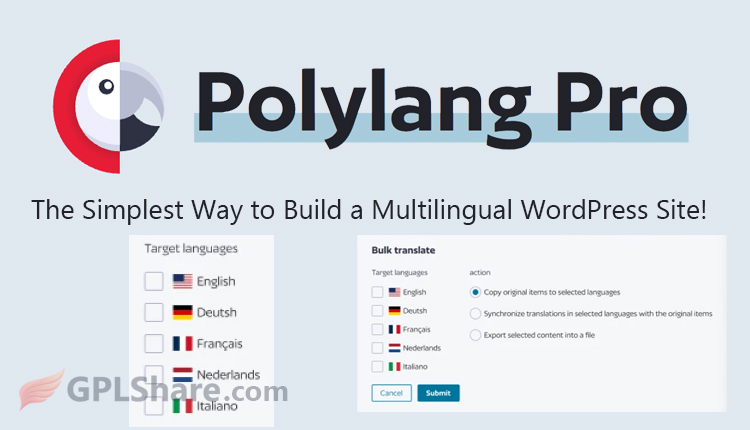

Polylang Pro is a premium (paid) WordPress plugin that works as the advanced version of the free Polylang. It’s used to build and manage multilingual websites with more professional, automated, and efficient features. As a premium version, Polylang Pro is built for high performance, team efficiency, and modern integrations that you won’t find in the free version.
The plugin was created by a developer from France named Frédéric Demarle. As it grew rapidly, since 2016 the development, maintenance, and sales of the Pro version have been officially managed by the company he founded with his partner, WP Syntex.
Polylang Pro Features You Need to Know About
- Automatic Translation with DeepL: You can connect this plugin to the DeepL API to automatically translate posts, pages, media, and even categories right from the WordPress editor. The latest version even supports glossary settings (a custom term dictionary) so specific words stay consistent across translations.
- XLIFF Export/Import: This comes in really handy if you’re hiring professional translators. Just export your content in XLIFF format, hand it over to your translator, and import it back once they’re done.
- Full Site Editor (FSE) Support: Polylang Pro fully supports the Full Site Editing feature in WordPress. You can translate block patterns and global design elements like headers and footers without a hitch.
- Extra Compatibility: It plays nicely with custom fields such as ACF Pro (Advanced Custom Fields), which developers often rely on to build complex custom websites.
Technical Advantages & Management
- Language Access Rights Management: If your website is managed by a big editorial team, you can restrict user access based on language (for example: User A can only edit Spanish content, while User B handles English only).
- Developer-Friendly: It comes with full support for WP-CLI (command-line interface) and an integrated REST API, making it easy for developers to automate tasks or connect it with external systems.
- Automatic Language Detection: The system can detect a visitor’s browser language preference and instantly redirect them to the matching language version of your site — automatically.
- Lightweight & Fast: This plugin is built without shortcodes and doesn’t create any extra tables in your WordPress database, so your site’s Core Web Vitals performance stays in top shape.
Note: If you’re also running an online store, features for translating products, stock, and currencies require an additional module called Polylang for WooCommerce.
Is Polylang Pro the Best Choice?
Whether Polylang Pro is the best choice really depends on your type of website, your budget, and your skill level. Polylang Pro is one of the best when it comes to speed (it’s lightweight) and how well it fits with modern WordPress features (Gutenberg/FSE). That said, the WordPress market is crowded, and it competes closely with other big-name plugins.
When Is the Best Choice?
- You care about site speed: Polylang Pro doesn’t create new database tables, so your Core Web Vitals (SEO) score stays intact.
- You’re a developer: Support for REST API, WP-CLI, and ACF Pro makes it super flexible for customization with code.
- You want full control: You prefer to translate content yourself (or with your team) in a structured way, without being tied to a third-party monthly subscription.
When Is NOT the Best Choice?
- You run a large online store: If you’re using WooCommerce, you’ll need to buy the Polylang Business Pack. In this case, WPML often turns out to be the more budget-friendly option with more mature e-commerce features.
- You’re short on time: If you want your site instantly translated into 5 languages within minutes and without manual setup, Weglot is the better pick.
How to Download
- Log in to your GPLShare account
- Go to your download history
- Download Polylang Pro v3.8.10 from the list provided
- Or download directly from this page if you have a premium membership
- That’s it! Enjoy the full version of Polylang Pro.
How to Install Plugin
- Please ensure that you download the
.zipfile from GPLShare - Before installing, you must first unzip the
polylang-pro-3.8.10-pack.zipfile - Go to WordPress Admin → Plugins → Add New → Upload Plugin
- Choose the
.zipinstaller file and click Install Now - After installation, click Activate Plugin
- Done! Polylang Pro is now active on your site
How to Activate License
Basically, the license credentials are not required, as they are only needed to receive updates. However, if you wish to activate the license, here are the instructions
- Once installed, navigate to the License section.
- Enter the required license credentials. (The license credentials can be found inside the package file you downloaded.)
- Done.
This product is licensed under the GPL
The GNU General Public License (GPL) is a copyleft license that guarantees you the freedom to run, study, share, and modify the software. If you distribute the software, whether modified or not, you must also pass on these same freedoms. Source: Official License Text (GPLv3) https://www.gnu.org/licenses/gpl-3.0.en.html
Conclusion & Plugin Download
GPLShare is the ultimate solution for anyone looking for a safe and trusted way to download Polylang Pro v3.8.10. Every product available on our platform is a 100% secure GPL License WordPress Plugin, allowing you to use it on Polylang Pro unlimited sites without any domain restrictions.
While we offer exclusive free download access for our premium members, we strongly advise against risking your website security by using an unsafe Polylang Pro nulled version from GPL markets that provide it completely free.