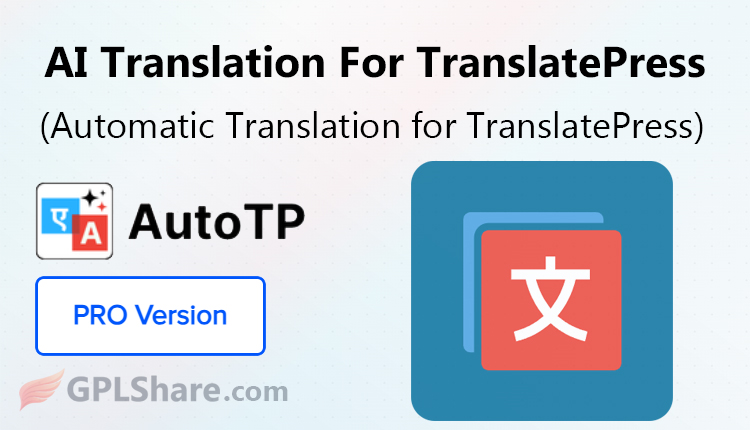

AutoTP Automatic Translation for TranslatePress is a third‑party add‑on made to expand the features of the well‑known multilingual plugin TranslatePress. It was built by Cool Plugins. AutoTP is also called the “AI Translation for TranslatePress” plugin.
As you probably know TranslatePress needs a paid API key for example from Google Cloud Translation or DeepL API to translate a site automatically. Those commercial API costs are charged per character. Can get very high for sites that have a lot of content.
AutoTP offers an alternative. It lets users do unlimited translations for free or, by using a Bring Your Own Key approach by using third‑party script widgets or local AI that runs right in the browser.
Architecture and Technical Workflow
AutoTP adds its workflow directly into the TranslatePress Visual Editor system. When you open the TranslatePress editor AutoTP adds an instant “Auto Translate” button.
The translation process works using an approach as follows:
1. Content String Scraping
AutoTP scans the DOM (Document Object Model) components of the page to gather all raw translatable text strings.
2. Provider Execution
The text is then sent to the user-selected translation provider. If a free widget-based method (such as the Google Translate or Yandex Widget) is used the text is processed via page script modifications.
3. In-Browser / Edge AI Support
In version 2.0 and later AutoTP integrates features like Chrome Built-in AI and Edge AI providers. This mechanism uses language models (LLMs integrated into the users browser) to translate text directly on the local device without sending data to external servers.
4. Database Merging (Permanent Storage)
Once the translation process is complete the user simply clicks the “Merge Translation” button.
This is where the technical magic happens: the automated translation results are injected into the TranslatePress database table schema. The content is stored permanently ensuring that subsequent visits by a global audience load instantly, from your servers database without incurring additional computational overhead.
Key Features of AutoTP and Provider Options
This plugin from Cool Plugins gives you a lot of flexibility by letting you choose translation engines:
- One-Click Page Translation (Bulk/Instant Translation) – AutoTP saves time by translating whole blocks of text on a page all at once instead of doing it item by item.
- Free Browser AI Integration – AutoTP works with built-in Gemini, Nano/Chrome AI and Microsoft Edge AI to give you AI-powered translations.
- BYOK (Bring Your Key) Method – For users who need top accuracy the premium version of AutoTP lets you connect your own APIs like OpenAI (GPT), Gemini, or Claude at raw API rates, which are much cheaper than buying regular translation credit bundles.
- Builder Compatibility & String Cleanliness – AutoTP works with Elementor, Divi and WooCommerce. The algorithm looks at plain text and skips any strings that have complex HTML so your layout stays good after translation.
- Ease of Correction (Manual Refinement) – Because AutoTP saves the translated text into the TranslatePress system you keep full control and can tweak any AI-generated words, with the TranslatePress visual editor.
AutoTP Has Critical Limitations to Consider
Even though AutoTP works well there are a few things to keep in mind.
Page-Based Workflow
In its version the system works one page at a time. It only starts translating when someone opens the editor. This is different, from a background method that runs automatically and processes amounts of data all at once without needing anyone to click or open anything.
DOM Structure Dependency
AutoTP depends on reading text from the editor. If third-party scripts change the structure of the web page much it can cause problems. These changes might break the way AutoTP finds and grabs text making the automatic scraping less reliable.
How to Download
- Log in to your GPLShare account
- Go to your download history
- Download AutoTP Automatic TranslatePress v2.0.3 from the list provided
- Or download directly from this page if you have a premium membership
- That’s it! Enjoy the full version of AutoTP Automatic TranslatePress.
How to Install Plugin
- Please ensure that you download the
.zipfile from GPLShare - Before installing, you must first unzip the
auto-translate-pro-for-translatepress-2.0.3-pack.zipfile - Go to WordPress Admin → Plugins → Add New → Upload Plugin
- Choose the
.zipinstaller file and click Install Now - After installation, click Activate Plugin
- Done! AutoTP Automatic TranslatePress is now active on your site
How to Activate License
Basically, the license credentials are not required, as they are only needed to receive updates. However, if you wish to activate the license, here are the instructions
- Once installed, navigate to the License section.
- Enter the required license credentials. (The license credentials can be found inside the package file you downloaded.)
- Done.
This product is licensed under the GPL
The GNU General Public License (GPL) is a copyleft license that guarantees you the freedom to run, study, share, and modify the software. If you distribute the software, whether modified or not, you must also pass on these same freedoms. Source: Official License Text (GPLv3) https://www.gnu.org/licenses/gpl-3.0.en.html
Conclusion & Plugin Download
GPLShare is the ultimate solution for anyone looking for a safe and trusted way to download AutoTP Automatic TranslatePress v2.0.3. Every product available on our platform is a 100% secure GPL License WordPress Plugin, allowing you to use it on AutoTP Automatic TranslatePress unlimited sites without any domain restrictions.
While we offer exclusive free download access for our premium members, we strongly advise against risking your website security by using an unsafe AutoTP Automatic TranslatePress nulled version from GPL markets that provide it completely free.