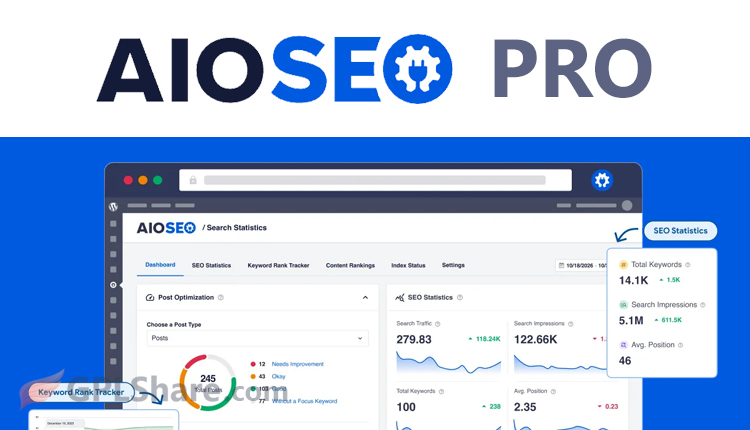

If you are building a website on WordPress and struggling to get search engine traffic, AIOSEO Pro is exactly what you need. Better known as All in One SEO Pro for its premium edition, this tool was developed by Semper Plugins and Syed Balkhi to help bloggers, e-commerce stores, and everyday site owners alike. It takes care of your optimization so you can easily climb the rankings and gain more visibility on Google and Bing.
Did you know that there is actually a free version available on WordPress.org? While it is a great starting point for beginners, the features are quite limited. If you are just testing the waters, the free option works fine, but in this guide, we are going to focus entirely on what the Pro version brings to the table.
What You Get with AIOSEO Pro
- You can complete the initial setup in just a few minutes.
- You can write titles and meta descriptions, as well as analyze content structure to align with the latest Google algorithm standards.
- If you previously used plugins like Yoast SEO or Rank Math, you can use the one-click import feature to transfer all your SEO settings without affecting your existing rankings.
How to Switch from Another SEO Plugin to AIOSEO Pro
If you are ready to make the switch, here is a step-by-step guide to migrate your data without losing any of your hard work. Before pushing any buttons, make sure to take these safety steps just in case anything goes sideways:
- Always back up your site first. Run a full backup of your WordPress database and files using your favorite backup plugin or directly through your hosting panel.
- Keep your old plugin active for now. Do not deactivate or delete your current SEO plugin yet. AIOSEO needs it up and running to read and copy the data over.
Step-by-Step Migration Guide
- Upload the premium zip file you downloaded after purchasing your license, then paste in your activation key.
- Once activated, AIOSEO usually launches its setup guide automatically. If it doesn’t pop up, just head over to your WordPress dashboard, go to AIOSEO > Dashboard, and click Launch Setup Wizard.
- On the very first step of the wizard, AIOSEO will automatically detect the plugin you are currently using, like Yoast or Rank Math. Just check the box next to your old plugin and hit Import Data and Continue. The tool will instantly copy over all your meta titles, descriptions, sitemap configurations, and schema markup.
- Go through the remaining wizard steps to set up your site profile (whether it is a personal blog or a business site) and pick the features you want to turn on, like the Sitemap or Link Assistant.
Once the migration is complete, you can safely disable your old plugin. Just follow these quick steps:
- Head over to your WordPress dashboard, go to Plugins > Installed Plugins, and click Deactivate under your previous SEO plugin.
- Once it is disabled, go ahead and click Delete. Cleaning up old plugins is highly recommended to free up server space and keep your website secure from potential security risks found in outdated code.
What Data Actually Carries Over?
This automated import handler pulls over nearly every piece of your essential data, including:
- Meta titles and meta descriptions for every single post, page, and e-commerce product.
- Social meta settings, ensuring your custom images and text for Facebook and X (formerly Twitter) stay intact.
- XML sitemap structures and your preferred routing configurations.
- Core schema markup setups to keep your rich snippets active in search results.
By following these steps, the entire transition happens seamlessly behind the scenes. Search engines like Google will keep reading your setup without skipping a beat, meaning you won’t have to worry about broken links or sudden drops in traffic.
Quick Note: The AIOSEO Pro plugin we offer comes with a GPL license, which means it doesn’t support automatic updates. If you ever need any of the extra add-ons, they are sold separately and will need to be installed manually.
How to Download
- Log in to your GPLShare account
- Go to your download history
- Download AIOSEO Pro v5.0.2 from the list provided
- Or download directly from this page if you have a premium membership
- That’s it! Enjoy the full version of AIOSEO Pro.
How to Install Plugin
- Please ensure that you download the
.zipfile from GPLShare - Before installing, you must first unzip the
all-in-one-seo-pack-pro-5.0.2-pack.zipfile - Go to WordPress Admin → Plugins → Add New → Upload Plugin
- Choose the
.zipinstaller file and click Install Now - After installation, click Activate Plugin
- Done! AIOSEO Pro is now active on your site
How to Activate License
Basically, the license credentials are not required, as they are only needed to receive updates. However, if you wish to activate the license, here are the instructions
- Once installed, navigate to the License section.
- Enter the required license credentials. (The license credentials can be found inside the package file you downloaded.)
- Done.
This product is licensed under the GPL
The GNU General Public License (GPL) is a copyleft license that guarantees you the freedom to run, study, share, and modify the software. If you distribute the software, whether modified or not, you must also pass on these same freedoms. Source: Official License Text (GPLv3) https://www.gnu.org/licenses/gpl-3.0.en.html
Conclusion & Plugin Download
GPLShare is the ultimate solution for anyone looking for a safe and trusted way to download AIOSEO Pro v5.0.2. Every product available on our platform is a 100% secure GPL License WordPress Plugin, allowing you to use it on AIOSEO Pro unlimited sites without any domain restrictions.
While we offer exclusive free download access for our premium members, we strongly advise against risking your website security by using an unsafe AIOSEO Pro nulled version from GPL markets that provide it completely free.