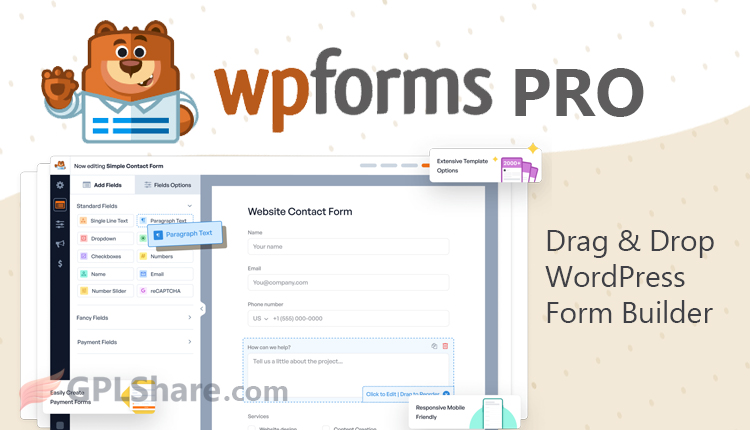

WPForms Pro (Elite) because it is easy to use and has many useful features, this plugin is one of the plugins that currently occupies the top position because it is widely sought after by WordPress developers like you.
Its use is easy using a drag-and-drop system, so anyone can use it including if you are just starting out and don’t need to understand any code behind the website.
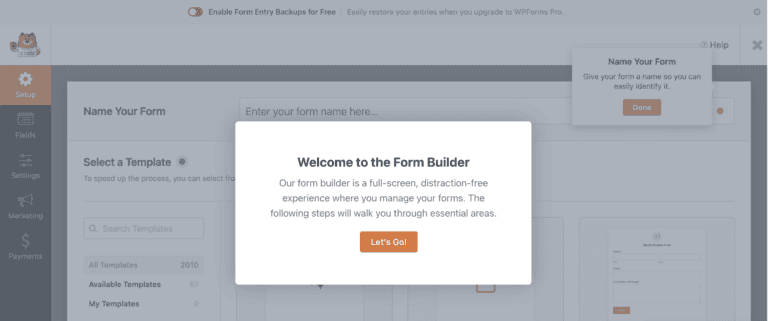
The full-screen form builder within the dashboard is one of the flagship features as well as the main feature. This plugin has two versions, namely giving you basic features in the free version, while the Pro package opens access to a better library of templates and fields.
No need to hesitate about integration, WPForms Pro is integrated with various tools for payments, email, and CRM. You can also create forms using conditional logic. No need to waste a lot of time, this plugin is lightweight and fast so it certainly won’t slow down your site.
Do you have to use WPForms?
For you WordPress website creators or business owners and bloggers, wanting to create forms professionally, this is very suitable and valuable. In addition, it is also useful for freelancers, marketers and agencies, because you can create or manage client forms and connect to CRM. Non-profit organizations can manage feedback, handle donations, and event planners can coordinate attendance confirmations (RSVP).
If you need such forms to work quickly, or need any form, this is the right plugin for you.
What is available in WPForms Lite?
Looking at a list of features is common, but the most important thing is that you need to know what it means for you. I will break down what is available in the free version compared to what the pro version offers.
This is a version made for beginners and just a trial before actually using it professionally. Even so, it doesn’t mean it’s bad, because WPForms Lite provides all the features you need for creating basic forms.
- Form builder with drag and drop system: Have you ever built with LEGO? just drag the field you want then drop it where you want it in the creation area. The structure or design you create in the editor is exactly the same as its actual appearance on the frontend.
- Create as many forms as you want: You want to create as many as 10, 20, 100 forms? even if you want to create thousands, know that there is no limit.
- CAPTCHA (built-in spam protection): Forms are one of the targets for spammers and an entry point for hackers to steal personal data on your website, don’t let this happen. This plugin has a better CAPTCHA feature, using smart and invisible methods to block bots or spam automatically. No need to manually fill in puzzles to prove that you are not a robot. However you can still use the old CAPTCHA model if you want.
- Stripe Payment: Form creation cannot be separated from payments, because basically the purchase of any goods is initially done using a form. WPForms Lite provides a Stripe gateway, so you can accept credit card payments. Unlike other form plugins that make this feature a pro feature that is not available in their free version.
What Does WPForms Pro Offer?
If you want advanced features to provide more added value for your business, upgrading to the paid package is the best choice. Besides saving time, the features in the pro version make things better.
- Entry management: All entries are under your direct control within WordPress. It’s not just about sending emails; every submission is saved, so you can search, filter, and review them anytime.
- Advanced form fields: More fields are available here such as star ratings, digital signatures, file uploads, and much more. Just drag and drop, that’s all.
- Conditional logic: Show/hide field B if field A contains “Hello world,” this is an example of how this feature works. You can show/hide certain fields when a field matches the conditions you apply. That way, your forms will be smarter and more personalized.
- Powerful integrations: Want to connect WPForms with Mailchimp or HubSpot? This pro version lets you connect with other tools you want. The system automatically sends form data to where you need it, no more manual work.
- Surveys, polls, and multi-page forms: You might be bored with the same old contact forms, this pro version gives you the freedom to create surveys with real-time reports, break long forms into steps. This is useful for professional developers.
Manage Live Entries Inside WordPress
The biggest reason to get WPForms Pro (the premium version) is easy entry management, because it’s done right inside WordPress. Besides being sent to the destination email, the data submitted through the form is also saved in WordPress.
You can view all the data submitted through the form, neatly organized under the “Entries” menu. Just type in the search and the entry data you’re looking for will appear for you to manage, for example marking an entry as read.
Click an entry, and all the data submitted by that person will be displayed, for example name, message, IP address, and the submission time is also recorded there. You can leave a comment or add a personal note to that entry.
Don’t worry about losing entries, because WPForms Elite provides an export feature. So, now you can export everything to a CSV file and open it in a spreadsheet. If you only want to select certain fields to be displayed as columns for speed, you can customize it.
Using WPForms Pro Together With Elementor
We know that these two plugins are the most popular in the WordPress community, so they are often used together. However, the important question is whether forms made with WPForms can be displayed using Elementor? The answer is absolutely yes!
Both developers are aware of this situation, so they designed both plugins to support each other.
Here’s How to Integrate WPForms Pro in Elementor
To insert a form you’ve already created with WPForms into your Elementor layout, I’ll explain two methods as follows:
- This is the easiest one, just use the widget called WPForms. Drag&drop that widget into the section where you want it, then from the drop-down menu, you can choose which form you want to display.
- The second method is using a shortcode. WPForms automatically generates a shortcode when you save the form you’ve built. So, displaying it is super easy, just use the Elementor widget called Shortcode then paste the code.
Note: In the GPL version, the AI feature will not work because it requires a connection to the developer’s server directly. In addition, premium addons are sold separately so they are not included in the package.