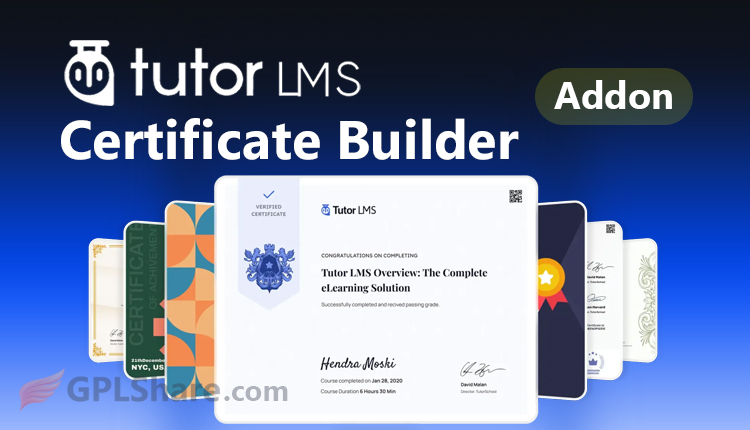

Tutor LMS Certificate Builder Addon is the most important premium feature to complete your eLearning website. This plugin works to design, personalize, and publish digital certificates if you use Tutor LMS.
Although Tutor LMS actually already has a built-in feature, the standard version only provides static certificate templates that are not good enough. You need to install this addon to improve the certificate system because it provides certificate creation using a visual canvas-based drag-and-drop system.
Components & Visual Canvas
This plugin replaces the standard certificate rendering system with a Visual Builder. Have you ever used Elementor or Canva? The way this plugin works is similar to those, when you open it, you’ll be presented with a multimedia canvas. Here’s the detailed explanation:
- You can set the page orientation, for example Landscape or Portrait. Media dimensions can be A4, Letter, or custom sizes precisely with pixel or millimeter units.
- Each element whether text, background, signature, or logo is placed in a separate layer. So you can adjust z-index, transparency, and absolute positioning.
Shortcodes (Smart Tags) & Variables
One of the advantages of this addon is its ability to extract real-time data from the WordPress database, namely wp_users, wp_posts, and custom Tutor LMS tables.
You don’t need to write student names one by one because this addon uses smart tags or dynamic variables that will change according to user data.
Here are the available smart tags:
{student_name}for the student’s full name from their profile meta.{course_name}retrieves the title of the course that was just completed.{completion_date}generates the date of completion based on your site’s timezone.{instructor_name}retrieves the name of the instructor who published the course.{certificate_id}creates a unique serial number or UUID for validation purposes.
Certificate Builder: Advanced Elements
Not just ordinary text and images, this Certificate Builder turns out to be equipped with professional components. Here are the details:
This Cross-Server Typography System supports integration with Google Fonts. You can adjust font-family, font-weight, line-height, and text color to match your online academy’s brand.
With Signature Storage Media, you can upload transparent PNG files for instructor signatures and official institution stamps. Not only that… size settings are also available so their position is precise above the signature line.
The Background System supports high-resolution image uploads. You can use a solid color or gradient background.
Rendering Process and Validation Security
When your student clicks the Download Certificate button, a computational process happens in the background.
What does the plugin do? I’ll explain here:
First… the plugin calls a PDF rendering library, then converts the visual canvas structure into a PDF document. This document is ready to print
Each certificate, has its own unique code for verification. You can create a dedicated page, for example “Certificate Verification”, and then third parties can enter that unique code to verify whether the certificate was genuinely issued by your site.
Why is the Certificate Builder Addon Important for Your Online Course?
Clearly it can increase the selling value of the course, a well-designed certificate will certainly increase the credibility of your academy.
As soon as students pass the final quiz or complete the last module, the certificate is automatically issued immediately. This eases your workload.
You can create various template variations for each different course category. Unlike Tutor LMS’s built-in templates which are limited.