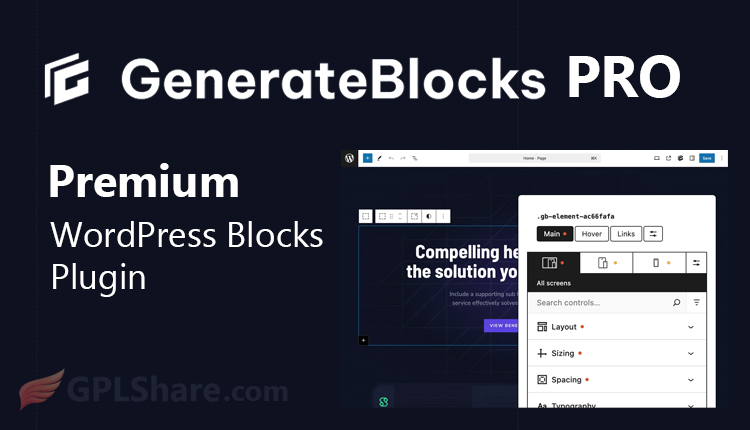

Think you need a heavy page builder like Elementor or Divi to create stunning websites? Think again. While those giant builders often bog down your site with bloated code, GenerateBlocks Pro takes a refreshing, minimalist approach. It supercharges the native WordPress block editor (Gutenberg) into a flexible, highly responsive page builder—without destroying your loading speeds.
Quick heads-up before we dive in: GenerateBlocks Pro and GeneratePress Premium are two completely different tools, even though they share the same author.
What’s the Difference Between GenerateBlocks Pro and GeneratePress Premium?
It’s easy to get these two mixed up since they’re made by the same talented team led by Tom Usborne. However, they serve completely different purposes:
- GeneratePress Premium is a plugin that upgrades your WordPress theme.
- GenerateBlocks Pro is a page-building plugin that controls the layouts, sections, and design elements within your pages.
They work beautifully together, but they are entirely independent tools.
6 GenerateBlocks Pro Features You Need to Know
While the free version is great, the Pro version is built for professionals who want to speed up their workflow and design without limits. Here is what you get:
1. A Massive Template Library (Ready-to-Use Design Library)
Say goodbye to the dread of a blank page. The Pro version gives you instant access to hundreds of professionally designed layouts and sections.
- One-Click Imports: Drop in gorgeous hero sections, testimonials, pricing tables, or contact forms in seconds.
- Zero Bloat: These aren’t heavy templates. They use clean, native GenerateBlocks code, so they remain fully editable and lightning-fast.
2. Time-Saving Global Styles (Global Design Consistency)
Managing a massive website? You’ll love this feature. Instead of styling every single button or box individually, you can design it once and apply it everywhere.
- Design Once: Create a perfect custom button and save it as a Global Style.
- Instant Updates: Need to change your brand color across 50 pages? Fix it in one place, and every linked element updates instantly across your entire site.
3. Code-Free Block Effects (Visual Effects Without Coding)
You don’t need to be a CSS wizard to add visual flair to your website. You can inject advanced animations and styling directly from the editor panel:
- Hover States & Shadows: Make elements pop with realistic depth and smooth color transitions when users hover over them.
- Filters & Transforms: Blur, brighten, rotate, or scale images and containers on the fly.
4. Smart Advanced Conditions (Dynamic Conditions System)
Want to show specific content to specific people? The dynamic conditions system gives you total control over block visibility. You can set rules to display blocks based on:
- User Roles: Show tailored messages only to logged-in users, subscribers, or admins.
- Device Types: Clean up your layout by hiding or showing elements strictly on mobile, tablet, or desktop.
- Targeted Pages: Pinpoint exactly which categories, tags, or specific page IDs display your content.
5. Custom Attributes & SVG Icons
Built with developers in mind, these features offer the ultimate flexibility for modern web design:
- Custom Attributes: Easily add data-id or aria-* tags to boost accessibility, integrate custom JavaScript, and sharpen your technical SEO.
- Unlimited SVG Icons: Don’t get stuck using the same old default icons. Paste your own custom SVG code straight into the block for razor-sharp, branded visuals.
6. Clickable Container Links
In the free version, you can only link text or buttons. GenerateBlocks Pro lets you turn an entire container area into a single, clickable link. This is a massive win for user experience, making it incredibly easy to build interactive preview cards, portfolio grids, and high-converting promo banners.
When Should You Actually Upgrade to GenerateBlocks Pro?
The free version of GenerateBlocks is fantastic, but there comes a time when you hit a creative wall or find yourself spending too many hours doing repetitive tasks. That’s exactly when GenerateBlocks Pro steps in.
If you find yourself in any of the following scenarios, upgrading is a total no-brainer:
1. Page Speed (Core Web Vitals) Is Your Top Priority
You want a website that loads instantly—like a portfolio, a high-converting landing page, or a busy news site—but you don’t want it to look boring.
- The Reality Check: Huge page builders like Elementor often leave behind heavy “code bloat” that tanks your speed.
- The Pro Fix: GenerateBlocks Pro pairs advanced visual effects with Global Styles, giving you a gorgeous website that keeps your code razor-thin and lightning-fast.
2. You’re Building Large-Scale Websites
Managing dozens or even hundreds of pages that share the same design elements can quickly become a nightmare.
- The Pro Fix: You’ll find the Global Styles feature life-saving. Instead of manually editing the primary button color across 200 pages, you change it once in the dashboard, and it updates everywhere instantly.
3. You Want Visual Flair Without Touching CSS Code
Modern web design relies heavily on smooth transitions, subtle shadows, and eye-catching hover animations. But what if you don’t know how to write CSS?
- The Pro Fix: The Block Effects panel turns complex coding into simple clicks and sliders. You can add depth, blurs, and rotations on the fly without writing a single line of code.
4. You Need to Show Different Content to Different People
Whether you’re running a membership site, an online store, or a dynamic portal, you need control over who sees what.
- The Pro Fix: The Advanced Conditions feature lets you set smart rules. You can hide or display content blocks based on user roles, device types, or specific page categories.
5. You’re Racing Against Tight Deadlines
If you’re a freelancer or running a web agency, time is literally money.
- The Pro Fix: The Template Library allows you to skip the blank-page phase entirely. Pop in a professionally crafted hero section, FAQ grid, or pricing table in seconds, tweak the text, and you’re good to go.
The Verdict: Stick with Free or Go Pro?
- Stick with the Free version if: You’re just running a basic personal blog, a static portfolio, or simple layouts that only require text and standard images.
- Upgrade to Pro if: You want to work faster, keep your design uniform across a massive site, and unlock high-end animations without slowing your site down.
What You Need to Get GenerateBlocks Pro Up and Running
Before you install the Pro version, make sure your WordPress setup meets these basic system requirements to ensure everything runs smoothly:
1. You Still Need the Free Version
GenerateBlocks Pro isn’t a standalone plugin—it’s an add-on.
- Requirement: You must have GenerateBlocks Free installed and active on your site first.
- Pro Tip: Always keep the free version updated to the latest release to avoid weird code conflicts with premium features.
2. System & WordPress Requirements
Because GenerateBlocks is built directly on modern WordPress block editor (Gutenberg) technology, your server needs to be up to date:
- WordPress Version: You’ll need WordPress 6.7 or higher.
- PHP Version: At least PHP 7.4, though running PHP 8.1 or higher is highly recommended for better security and speed.
- PHP Memory Limit: Aim for at least 256 MB. This keeps your editor from crashing (the dreaded Error 500) when you load up massive layouts or heavy templates.
3. Account and Licensing
To get access to premium goodies like the Template Library and automatic updates, you need a legitimate copy:
- The Plugin File: You can download the .zip installer directly from your official GenerateBlocks or GeneratePress dashboard. (Alternatively, you can grab it from our website).
- The License Key: Once activated, paste your license key into the WordPress settings to unlock cloud templates and smooth background updates. We provide an alternative version under the GPL license, though it does not support automatic updates.
4. Theme Check: Do You Need the GeneratePress Theme?
- Short answer: No. It’s a common myth that GenerateBlocks only works with the GeneratePress theme. In reality, it works beautifully with any theme that supports the standard WordPress block editor—including Astra, Kadence, Hello Elementor, or the default WordPress themes.
How to Download
- Log in to your GPLShare account
- Go to your download history
- Download GenerateBlocks Pro v2.8.0 from the list provided
- Or download directly from this page if you have a premium membership
- That’s it! Enjoy the full version of GenerateBlocks Pro.
How to Install Plugin
- Please ensure that you download the
.zipfile from GPLShare - Before installing, you must first unzip the
generateblocks-pro-2.8.0-pack.zipfile - Go to WordPress Admin → Plugins → Add New → Upload Plugin
- Choose the
.zipinstaller file and click Install Now - After installation, click Activate Plugin
- Done! GenerateBlocks Pro is now active on your site
How to Activate License
Basically, the license credentials are not required, as they are only needed to receive updates. However, if you wish to activate the license, here are the instructions
- Once installed, navigate to the License section.
- Enter the required license credentials. (The license credentials can be found inside the package file you downloaded.)
- Done.
This product is licensed under the GPL
The GNU General Public License (GPL) is a copyleft license that guarantees you the freedom to run, study, share, and modify the software. If you distribute the software, whether modified or not, you must also pass on these same freedoms. Source: Official License Text (GPLv3) https://www.gnu.org/licenses/gpl-3.0.en.html
Conclusion & Plugin Download
GPLShare is the ultimate solution for anyone looking for a safe and trusted way to download GenerateBlocks Pro v2.8.0. Every product available on our platform is a 100% secure GPL License WordPress Plugin, allowing you to use it on GenerateBlocks Pro unlimited sites without any domain restrictions.
While we offer exclusive free download access for our premium members, we strongly advise against risking your website security by using an unsafe GenerateBlocks Pro nulled version from GPL markets that provide it completely free.