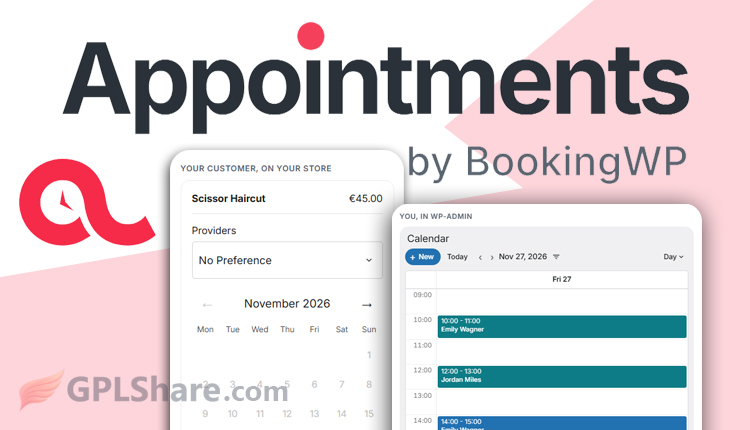

BookingWP WooCommerce Appointments is a WordPress plugin and is built as an extension for WooCommerce with the main function being appointment booking. The developer named BookingWP has been building this plugin since 2015 to convert default WooCommerce products into a new product type called “Appointment”. So you can sell time, services, consultations, and room rentals just like selling physical products.
How BookingWP Appointments Works
Other similar plugins like Bookly or Amelia have separate shopping cart and checkout systems. This plugin instead uses WooCommerce’s built-in shopping cart and checkout system, here are the details:
- This plugin registers a new product type specifically, so every schedule booked will be processed as a standard WooCommerce Order. You can use payment gateways that are already installed such as Stripe, or bank transfer, including discount coupons, tax systems, and refund management.
- The admin calendar page in the backend uses React JS such as the drag-and-drop schedule feature to maintain real-time responsiveness. If you want to connect schedule data with third-party applications, this plugin provides REST API endpoints that are useful for developers.
Logic System and Availability Engine
With the Rule Priority Hierarchy you can set operational schedules at four levels: Global, Product, Staff or Service Provider, and Custom Availability. Higher priority levels will override rules below them.
Buffer Time & Lead Time are configurations to automatically add lag time before and after appointments, for example 15 minutes. Lead time prevents customers from booking schedules that are too last-minute.
This Capacity & Slot Management supports both single and group bookings with minimum and maximum capacity limits per time slot.
Dynamic Pricing Rules
This plugin does not limit you to a flat rate. You can compose price formulas based on specific conditions, for example:
- Mathematical Calculations to modify a product’s base price using the
+,-,×, and÷operators based on day of the week, peak hours, session duration, and number of participants. - You can distinguish between Base Cost, which is a fixed cost per booking, and Slot Cost, which is a cost multiplied by the number of time blocks selected by the customer.
- This plugin works with the WooCommerce Product Add-ons extension if you want to sell additional services that can affect the final price or add to the total duration of the appointment in the calendar.
User Experience Using BookingWP Appointments
The calendar can detect the visitor’s local timezone and automatically convert available time slots.
Customers can view their appointment history, reschedule or cancel orders according to the time limit you set through WooCommerce’s built-in My Account page.
For automatic notifications and reminders, the system will send emails for order confirmation, reminders before the scheduled time begins, and follow-up notifications after the session is completed.